How to Build a WhatsApp Order Tracking Bot for E-Commerce
An order tracking bot running on Chatmaid + n8n eliminates the most repetitive category of e-commerce support — at a cost of under $10/month in infrastructure. Your support team handles exceptions, disputes, and relationship-building. The bot handles "where is my order?" at scale and at any hour. Start free: developers.chatmaid.net/signup
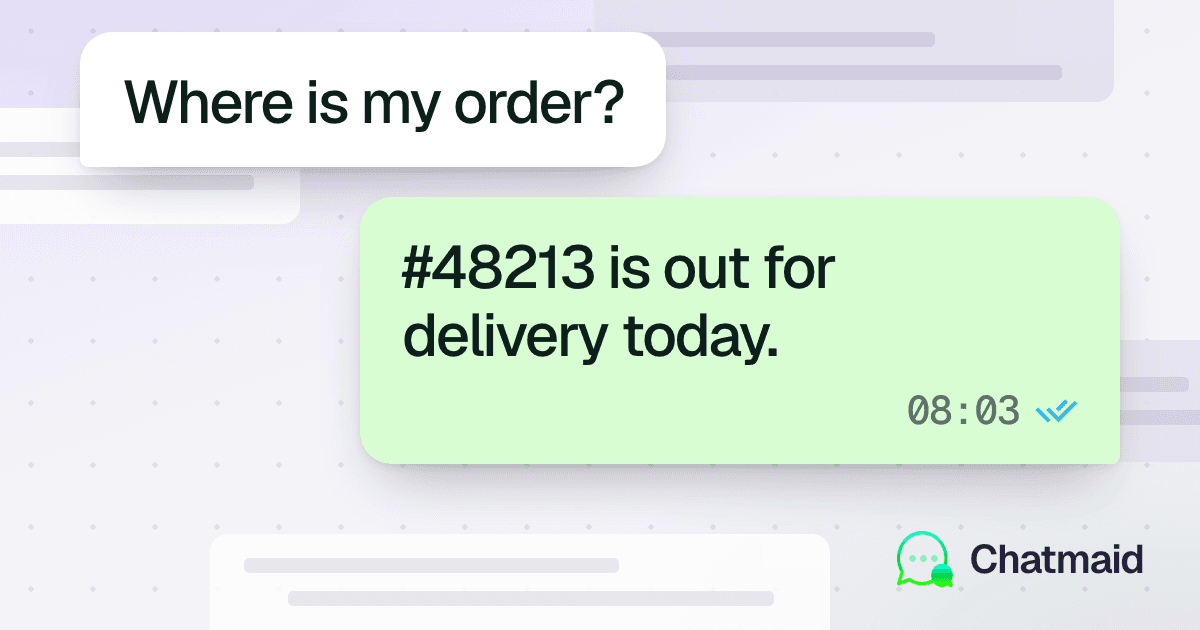
"Where is my order?" is the single most common customer service question in e-commerce. It accounts for 25-40% of all support tickets in most online stores. Every one of those tickets requires a human to look up an order number, check a tracking link, and type a reply — work that takes 2-3 minutes per ticket and scales linearly with your order volume.
A WhatsApp order tracking bot answers this question instantly, at any hour, without any human involvement. This guide shows you how to build one.
What the Bot Handles
The bot we're building covers the full post-purchase support flow:
- Order status — has it shipped, is it in transit, has it been delivered?
- Tracking information — the carrier and tracking number, with a link
- Estimated delivery — when to expect the package
- Delivery issues — delayed, returned to sender, wrong address
- Return/exchange requests — initiates the process and creates a ticket
- Escalation — routes complex issues to a human agent
Architecture
Customer WhatsApp message ↓ Chatmaid webhook → Your server / n8n ↓ Parse intent (order lookup, tracking, return, etc.) ↓ Query order management system (Shopify / WooCommerce / database) ↓ Format response ↓ Chatmaid send → Customer WhatsApp reply
The key integration point is your order management system. The bot needs to look up orders by order number or phone number to return accurate status information.
Part 1: The Basic Order Lookup Flow
Identifying the Order
Customers contact you in several ways:
- "Where is order #4892?"
- "My order hasn't arrived" (no order number)
- "I ordered last week and need tracking"
Use an AI model to extract the order number if present, or ask for it if not:
python
import re def extract_order_number(message: str) -> str | None: # Look for common order number patterns patterns = [ r'#(\d{4,})', # #4892 r'order[:\s]+(\d{4,})', # order: 4892 or order 4892 r'(\d{4,})', # standalone number ] for pattern in patterns: match = re.search(pattern, message, re.IGNORECASE) if match: return match.group(1) return None
If no order number is found, reply asking for it:
"Hi! I'd be happy to help track your order. Could you share your order number? You'll find it in your confirmation email (it starts with #)."
Querying Order Status
Shopify:
python
import shopify def get_order_status(order_number: str) -> dict: shopify.ShopifyResource.set_site(f"https://{SHOP_NAME}.myshopify.com/admin/api/2024-01") shopify.ShopifyResource.set_headers({ 'X-Shopify-Access-Token': SHOPIFY_ACCESS_TOKEN }) orders = shopify.Order.find(name=f"#{order_number}", status='any') if not orders: return {"found": False} order = orders[0] fulfillment = order.fulfillments[0] if order.fulfillments else None return { "found": True, "order_number": order.name, "status": order.fulfillment_status, # unfulfilled, fulfilled, partial "financial_status": order.financial_status, "line_items": [i.title for i in order.line_items], "tracking_number": fulfillment.tracking_number if fulfillment else None, "tracking_company": fulfillment.tracking_company if fulfillment else None, "tracking_url": fulfillment.tracking_url if fulfillment else None, "created_at": str(order.created_at), }
WooCommerce:
python
from woocommerce import API wcapi = API( url=STORE_URL, consumer_key=WC_KEY, consumer_secret=WC_SECRET, version="wc/v3" ) def get_woo_order(order_number: str) -> dict: orders = wcapi.get("orders", params={"number": order_number}).json() if not orders: return {"found": False} order = orders[0] return { "found": True, "status": order["status"], "line_items": [i["name"] for i in order["line_items"]], "tracking": order.get("meta_data", []) }
Generic database:
python
def get_order_from_db(order_number: str) -> dict: conn = get_db_connection() order = conn.execute( "SELECT * FROM orders WHERE order_number = ?", (order_number,) ).fetchone() if not order: return {"found": False} return dict(order)
Formatting the Reply
Map order statuses to human-readable WhatsApp messages:
python
def format_order_reply(order: dict) -> str: if not order["found"]: return ( "I couldn't find an order with that number. " "Please double-check and try again, or contact our support team at support@yourstore.com" ) status = order["status"] items = ", ".join(order["line_items"][:3]) # Max 3 items if status in ["unfulfilled", "pending"]: return ( f"📦 Order {order['order_number']}\n" f"Items: {items}\n\n" f"Status: Being prepared — your order is confirmed and we're getting it ready to ship. " f"You'll receive a WhatsApp notification with tracking as soon as it ships!" ) elif status in ["fulfilled", "shipped"]: tracking_line = "" if order.get("tracking_number"): tracking_line = ( f"\n🚚 Carrier: {order['tracking_company']}\n" f"Tracking: {order['tracking_number']}\n" f"Track here: {order['tracking_url']}" ) return ( f"📦 Order {order['order_number']}\n" f"Status: *Shipped* ✅{tracking_line}\n\n" f"Is there anything else I can help with?" ) elif status == "delivered": return ( f"✅ Order {order['order_number']} was delivered!\n\n" f"If you haven't received your package or there's an issue, " f"reply *PROBLEM* and I'll connect you with our team right away." ) elif status in ["cancelled", "refunded"]: return ( f"Your order {order['order_number']} was {status}. " f"If you have questions about your refund, reply *REFUND* " f"and I'll pull up the details." ) else: return ( f"📦 Order {order['order_number']} — Status: {status}\n\n" f"For more details, please contact us at support@yourstore.com " f"or reply *AGENT* to speak with our team." )
Part 2: Handling Returns and Exchanges
When a customer replies with "I want to return this" or "RETURN", trigger the returns flow:
python
RETURN_KEYWORDS = ["return", "exchange", "refund", "defective", "wrong item", "damaged"] def detect_return_intent(message: str) -> bool: return any(kw in message.lower() for kw in RETURN_KEYWORDS) def handle_return_request(phone: str, order_number: str): # 1. Reply to customer send_whatsapp( phone, f"I'm sorry to hear there's an issue with your order! " f"I've flagged this for our returns team and created a ticket.\n\n" f"A team member will contact you within 24 hours. " f"Our returns window is 30 days from delivery, and return shipping is free for defective items.\n\n" f"Your case number: RET-{generate_case_id()}" ) # 2. Create internal ticket (email, Slack, or your ticketing system) create_support_ticket({ "type": "return_request", "customer_phone": phone, "order_number": order_number, "source": "whatsapp_bot" })
Part 3: Proactive Order Notifications (Outbound)
Don't wait for customers to ask — send status updates automatically.
On order placed (webhook from Shopify/WooCommerce):
python
@app.route('/webhooks/order-created', methods=['POST']) def order_created(): order = request.json customer_phone = order.get('shipping_address', {}).get('phone') if customer_phone: send_whatsapp( customer_phone, f"Thanks for your order! 🎉\n\n" f"Order #{order['order_number']} is confirmed.\n" f"Items: {', '.join(i['name'] for i in order['line_items'][:3])}\n\n" f"We'll message you as soon as it ships. " f"Reply *STATUS* anytime to check your order." ) return jsonify({}), 200
On order shipped:
python
@app.route('/webhooks/order-fulfilled', methods=['POST']) def order_fulfilled(): order = request.json fulfillment = order.get('fulfillments', [{}])[0] customer_phone = order.get('shipping_address', {}).get('phone') if customer_phone: tracking = fulfillment.get('tracking_number', 'N/A') tracking_url = fulfillment.get('tracking_url', '') message = ( f"🚚 Your order #{order['order_number']} has shipped!\n\n" f"Carrier: {fulfillment.get('tracking_company', 'Standard shipping')}\n" f"Tracking: {tracking}" ) if tracking_url: message += f"\nTrack here: {tracking_url}" message += "\n\nReply *STATUS* anytime to check your delivery progress." send_whatsapp(customer_phone, message) return jsonify({}), 200
Part 4: Building in n8n (No-Code Version)
If you're not writing custom code, here's the n8n workflow:
Trigger: Webhook (receives Chatmaid message.received events)
Node 2: Extract order number from message using a Code node (the regex above)
Node 3: If no order number — send a request message via Chatmaid HTTP Request
Node 4: HTTP Request to your Shopify/WooCommerce API to fetch order data
Node 5: Switch node — routes by order status (unfulfilled / shipped / delivered / cancelled)
Node 6 (per branch): Set node that formats the appropriate reply text
Node 7: HTTP Request to Chatmaid send endpoint
Node 8: Optional — Google Sheets log of the interaction
Part 5: The AI Upgrade
Once the basic flow works, upgrade the reply generation to use an AI model. This handles:
- Ambiguous messages ("my stuff hasn't arrived" — no order number)
- Multi-question messages ("where is my order and can I change the address?")
- Emotional messages ("this is taking way too long, I need this for an event tomorrow")
- Languages other than English
Pass the customer message, order status data, and a system prompt to GPT-4o or Claude, and let the AI compose the reply using the structured data you fetched.
Metrics to Track
- Containment rate: % of order inquiries resolved without human agent
- Average resolution time: Should be under 10 seconds
- Escalation rate: % that route to human (target: under 20%)
- Customer satisfaction: Add a simple 👍/👎 reaction prompt after resolution