How to Send WhatsApp Notifications from a Python Flask App
Adding WhatsApp to a Flask app follows a clean pattern: a client class for the API, background tasks via Celery for async delivery, webhook handling for incoming messages, and a template library for common notifications. The result is a Flask application that can reach users where they actually pay attention — without building a custom mobile notification system or depending on email open rates. Get started: developers.chatmaid.net/signup Full API docs: www.chatmaid.net/docs
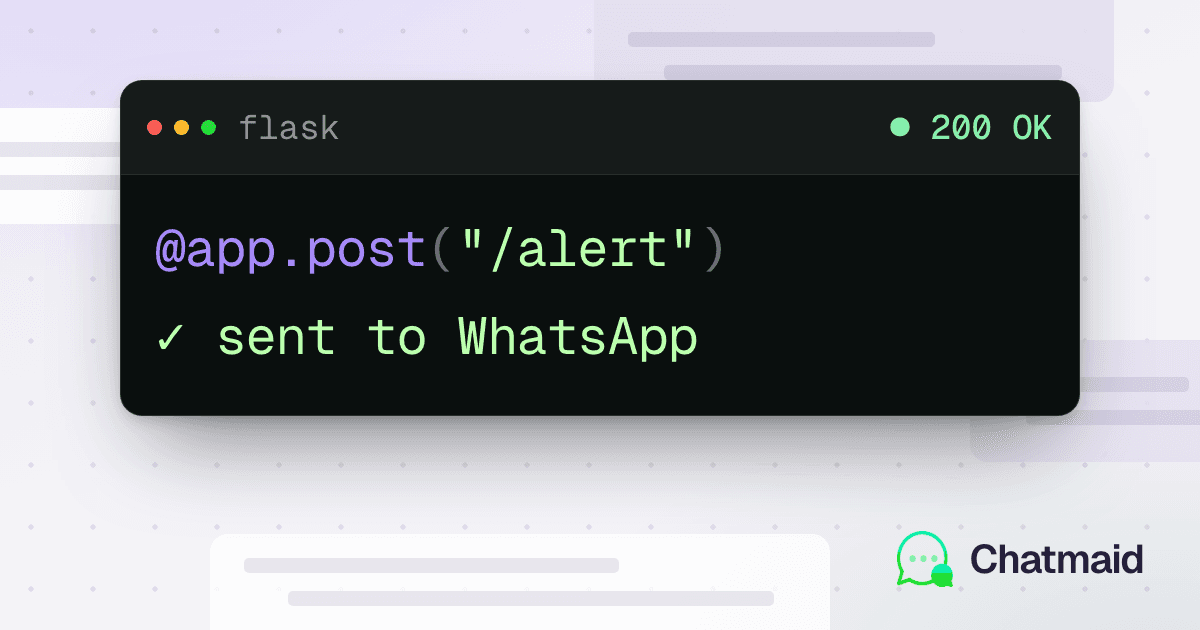
Flask is the most popular Python microframework for web applications — and one of the most common backends behind SaaS tools, internal dashboards, and automation services. Adding WhatsApp as a notification channel to a Flask app takes about 30 minutes and dramatically increases the chance that your alerts and updates actually get seen.
This tutorial covers the complete integration: a Chatmaid client class, background task handling with Celery, error handling, delivery tracking, and webhook handling for incoming replies.
Prerequisites
pip install flask requests celery redis python-dotenvEnvironment variables in .env:
CHATMAID_API_KEY=sk_live_xxxxxxxxxxxx
CHATMAID_WEBHOOK_SECRET=your_webhook_secret
SENDER_PHONE=+15551234567
REDIS_URL=redis://localhost:6379/0
Part 1: The Chatmaid Client Class
Build a reusable client that encapsulates the API:
import os
import uuid
import requests
from dataclasses import dataclass
from typing import Optional

CHATMAID_API_BASE = "https://developers-api.chatmaid.net/v1"


@dataclass
class MessageResult:
    success: bool
    message_id: Optional[str] = None
    status: Optional[str] = None
    error_code: Optional[str] = None
    error_hint: Optional[str] = None


class ChatmaidClient:
    def __init__(self, api_key: str, sender_phone: str):
        self.api_key = api_key
        self.sender_phone = sender_phone
        self.session = requests.Session()
        self.session.headers.update({
            "Authorization": f"Bearer {api_key}",
            "Content-Type": "application/json"
        })

    def send_message(
        self,
        to: str,
        content: str,
        idempotency_key: Optional[str] = None
    ) -> MessageResult:
        """
        Send a WhatsApp message.

        Args:
            to: Recipient phone number in international format
            content: Message text
            idempotency_key: Optional key to prevent duplicate sends

        Returns:
            MessageResult with success status and message details
        """
        headers = {}
        if idempotency_key:
            headers["Idempotency-Key"] = idempotency_key

        try:
            response = self.session.post(
                f"{CHATMAID_API_BASE}/messages/send",
                json={
                    "fromPhoneId": self.sender_phone,
                    "to": to.strip(),
                    "content": content
                },
                headers=headers,
                timeout=10
            )

            data = response.json()

            if response.status_code in (200, 201):
                return MessageResult(
                    success=True,
                    message_id=data.get("messageId"),
                    status=data.get("status")
                )
            else:
                error = data.get("error", {})
                return MessageResult(
                    success=False,
                    error_code=error.get("code"),
                    error_hint=error.get("hint")
                )

        except requests.Timeout:
            return MessageResult(
                success=False,
                error_code="timeout",
                error_hint="Request timed out"
            )
        except requests.ConnectionError:
            return MessageResult(
                success=False,
                error_code="connection_error",
                error_hint="Could not reach API"
            )

    def get_message_status(self, message_id: str) -> dict:
        """Check the delivery status of a sent message."""
        response = self.session.get(
            f"{CHATMAID_API_BASE}/messages/{message_id}",
            timeout=10
        )
        return response.json()


# Initialize once, reuse across requests
chatmaid = ChatmaidClient(
    api_key=os.environ["CHATMAID_API_KEY"],
    sender_phone=os.environ["SENDER_PHONE"]
)
Part 2: Basic Flask Integration
The simplest integration — calling Chatmaid synchronously from a Flask route:
import uuid

from flask import Flask, jsonify, request

from chatmaid import chatmaid

app = Flask(__name__)


@app.route("/api/notify", methods=["POST"])
def notify_user():
    """Endpoint to trigger a WhatsApp notification."""
    data = request.json
    phone = data.get("phone")
    message = data.get("message")

    if not phone or not message:
        return jsonify({"error": "phone and message are required"}), 400

    # Use a deterministic idempotency key based on the request
    idem_key = f"notify-{phone}-{data.get('event_id', uuid.uuid4())}"

    result = chatmaid.send_message(phone, message, idempotency_key=idem_key)

    if result.success:
        return jsonify({
            "sent": True,
            "messageId": result.message_id
        }), 200
    else:
        return jsonify({
            "sent": False,
            "error": result.error_hint
        }), 500
Part 3: Background Task Handling with Celery
Calling a third-party API synchronously from a Flask route means your request blocks until the send completes. For any serious application, you want WhatsApp sends to happen in the background.
import os

from celery import Celery

from chatmaid import chatmaid

celery = Celery("tasks", broker=os.environ["REDIS_URL"])


@celery.task(
    bind=True,
    max_retries=3,
    default_retry_delay=30
)
def send_whatsapp_task(self, to: str, content: str, idempotency_key: str = None):
    """
    Background task to send a WhatsApp message with automatic retry.
    """
    result = chatmaid.send_message(to, content, idempotency_key)

    if not result.success:
        if result.error_code == "rate_limit":
            # Retry after 60 seconds for rate limits
            raise self.retry(countdown=60)
        elif result.error_code in ("timeout", "connection_error", "upstream"):
            # Retry transient errors
            raise self.retry(countdown=30)
        else:
            # Don't retry auth or validation errors
            raise Exception(
                f"WhatsApp send failed: {result.error_code} — {result.error_hint}"
            )

    return {
        "success": True,
        "message_id": result.message_id,
        "to": to
    }
Now in your Flask routes, dispatch tasks instead of calling synchronously:
from tasks import send_whatsapp_task


@app.route("/api/orders/<order_id>/notify", methods=["POST"])
def notify_order_shipped(order_id):
    order = Order.query.get_or_404(order_id)

    message = (
        f"Your order #{order.number} has shipped! 🚚\n\n"
        f"Tracking: {order.tracking_number}\n"
        f"Carrier: {order.carrier}\n"
        f"Estimated delivery: {order.estimated_delivery.strftime('%B %d')}"
    )

    # Fire and forget — task handles retries
    send_whatsapp_task.delay(
        to=order.customer_phone,
        content=message,
        idempotency_key=f"order-shipped-{order_id}"
    )

    return jsonify({"queued": True}), 202
Run Celery in a separate process:
celery -A tasks worker --loglevel=infoPart 4: Triggering Notifications from Flask Events
Rather than explicit API calls, register notifications as side effects of application events:
# Use Flask signals or SQLAlchemy events

from sqlalchemy import event

from models import Order


@event.listens_for(Order.status, "set")
def order_status_changed(target, value, oldvalue, initiator):
    """Fire WhatsApp when order status changes."""
    if value == "shipped" and oldvalue != "shipped":
        if target.customer_phone:
            send_whatsapp_task.delay(
                to=target.customer_phone,
                content=(
                    f"Your order #{target.number} has shipped! "
                    f"Tracking: {target.tracking_number}"
                ),
                idempotency_key=f"status-shipped-{target.id}"
            )

    elif value == "delivered":
        if target.customer_phone:
            send_whatsapp_task.delay(
                to=target.customer_phone,
                content=(
                    f"Your order #{target.number} has been delivered! ✅\n"
                    f"Hope you love it — reply with any questions."
                ),
                idempotency_key=f"status-delivered-{target.id}"
            )
Part 5: Receiving WhatsApp Replies
Handle incoming messages from customers using Chatmaid webhooks:
import hashlib
import hmac
import os

from flask import Blueprint, jsonify, request

from tasks import handle_incoming_whatsapp

webhook_bp = Blueprint("webhook", __name__)
WEBHOOK_SECRET = os.environ["CHATMAID_WEBHOOK_SECRET"]


@webhook_bp.route("/webhooks/chatmaid", methods=["POST"])
def chatmaid_webhook():
    # Verify signature
    signature = request.headers.get("X-Chatmaid-Signature", "")
    body = request.get_data()
    expected = "sha256=" + hmac.new(
        WEBHOOK_SECRET.encode(), body, hashlib.sha256
    ).hexdigest()

    if not hmac.compare_digest(signature, expected):
        return jsonify({"error": "Unauthorized"}), 401

    payload = request.json

    # Respond immediately, process in background
    handle_incoming_whatsapp.delay(payload)

return jsonify({"received": True}), 200# additional task
@celery.task
def handle_incoming_whatsapp(payload: dict):
if payload.get("event") != "message.received":
return
data = payload["data"]
phone = data["from"]
message = data["content"].strip()
# Route by keyword
msg_lower = message.lower()
if "status" in msg_lower or "order" in msg_lower:
handle_order_inquiry(phone, message)
elif "cancel" in msg_lower:
handle_cancellation_request(phone, message)
elif "help" in msg_lower or "agent" in msg_lower:
escalate_to_human(phone, message)
else:
# Default AI response
generate_ai_reply(phone, message)
def handle_order_inquiry(phone: str, message: str):
# Look up most recent order for this phone number
order = (
Order.query
.filter_by(phone=phone)
.order_by(Order.created_at.desc())
.first()
)
if not order:
reply = (
"I couldn't find any orders associated with this number. "
"Could you share your order number?"
)
else:
reply = (
f"Your most recent order:\n"
f"Order #{order.number} — {order.status.title()}\n"
f"Placed: {order.created_at.strftime('%B %d')}"
)
chatmaid.send_message(phone, reply)Part 6: Template Helpers for Common Notifications
Build a small library of notification templates your Flask app can call:
from tasks import send_whatsapp_task


class WhatsAppNotifications:

    @staticmethod
    def welcome(phone: str, name: str):
        send_whatsapp_task.delay(
            to=phone,
            content=(
                f"Hi {name}! 👋 Welcome to [Your App]. "
                f"Reply anytime with questions — I'm here 24/7."
            ),
            idempotency_key=f"welcome-{phone}"
        )

    @staticmethod
    def payment_confirmed(phone: str, amount: float, invoice_url: str):
        send_whatsapp_task.delay(
            to=phone,
            content=(
                f"Payment confirmed ✅\n\n"
                f"Amount: ${amount:.2f}\n"
                f"Invoice: {invoice_url}\n\n"
                f"Thank you!"
            ),
            idempotency_key=f"payment-{phone}-{amount}"
        )

    @staticmethod
    def appointment_reminder(phone: str, name: str, datetime_str: str, location: str):
        send_whatsapp_task.delay(
            to=phone,
            content=(
                f"Hi {name}! Reminder: you have an appointment tomorrow.\n\n"
                f"📅 {datetime_str}\n"
                f"📍 {location}\n\n"
                f"Reply CONFIRM to confirm or RESCHEDULE to change."
            ),
            idempotency_key=f"appt-reminder-{phone}-{datetime_str}"
        )

    @staticmethod
    def password_reset(phone: str, reset_code: str):
        send_whatsapp_task.delay(
            to=phone,
            content=(
                f"Your password reset code is: *{reset_code}*\n\n"
                f"This code expires in 10 minutes. Don't share it with anyone."
            ),
            idempotency_key=f"pwd-reset-{phone}-{reset_code}"
        )
Usage in your Flask routes:
from notifications import WhatsAppNotifications


@app.route("/api/users", methods=["POST"])
def register_user():
    user = create_user(request.json)

    if user.phone:
        WhatsAppNotifications.welcome(user.phone, user.first_name)

    return jsonify(user.to_dict()), 201
Part 7: Monitoring and Logging
Log all WhatsApp activity to your database for auditing and debugging:
class WhatsAppLog(db.Model):
    id = db.Column(db.Integer, primary_key=True)
    direction = db.Column(db.String(10))  # "outbound" or "inbound"
    phone = db.Column(db.String(20))
    content = db.Column(db.Text)
    message_id = db.Column(db.String(50))
    status = db.Column(db.String(20))
    created_at = db.Column(db.DateTime, default=datetime.utcnow)
Update the send_whatsapp_task to log after sending, and the webhook handler to log incoming messages.