Send WhatsApp Ops Alerts to Your Team Group with an API
Send deploy, uptime and daily summary alerts to a WhatsApp group from your code: get the group JID, post with one API call, and take commands by reply.
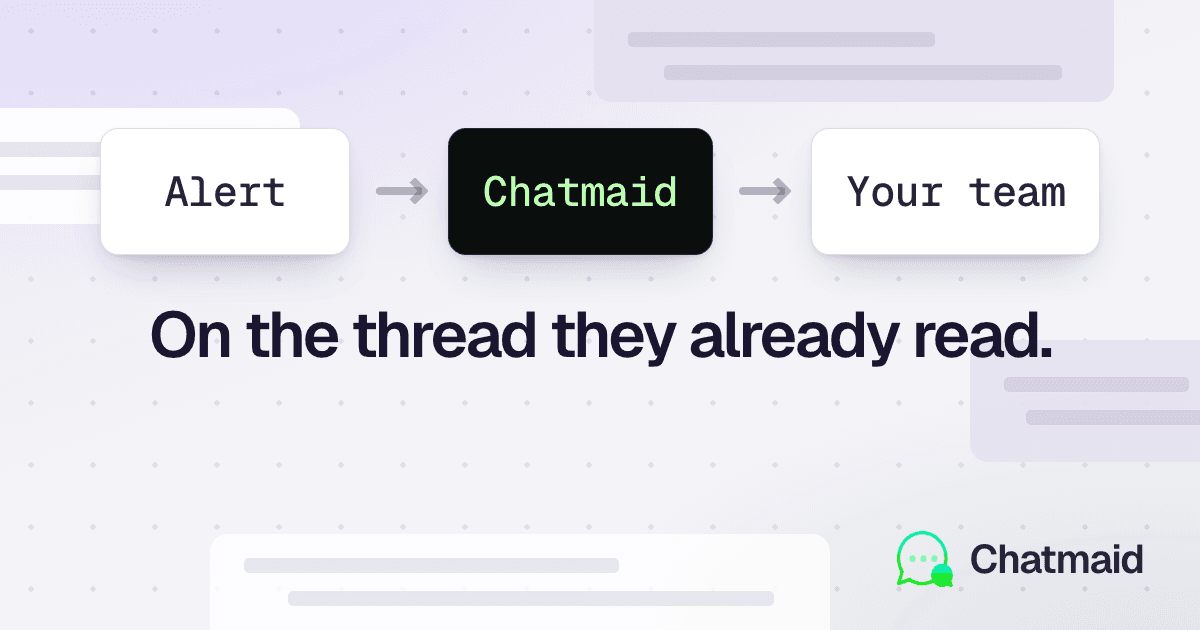
To send ops alerts to WhatsApp, connect a spare WhatsApp number to Chatmaid Developers, add that number to your team's WhatsApp group, look up the group's JID once with GET /v1/groups, and have your CI pipeline, monitoring scripts and cron jobs call POST /v1/messages/send with that JID as the recipient. Each alert is one HTTPS request. If you also subscribe to the message.received webhook, teammates can reply in the same group with short commands such as /status, and your server answers there.
This tutorial builds that setup end to end: a deploy notification from GitHub Actions, a server check that only posts when something changes, a daily summary, and a command listener. Every example uses the API as it works in October 2026 and runs as shown once you fill in your own keys.
Why send internal alerts to WhatsApp?
Alerts only help if someone reads them. If your team already coordinates in a WhatsApp group, posting deploys and incidents there puts them next to the conversation about them, on the phones people already carry. Everyone in the group sees that an alert fired, who picked it up and what was done, without opening another dashboard.
WhatsApp works best for a small number of messages that matter: a deploy finished or failed, a site went down and came back, a disk is filling up, the morning summary. It is the wrong place for log streams. It also has no escalation: if nobody reads an alert, nothing else happens. Keep a paging tool for incidents that must wake someone up, and use the group for what the whole team should see.
What do you need before you start?
- A Chatmaid Developers account. Sandbox keys (
sk_test_...) are free, and messages sent with them are simulated, so you can build most of what follows without touching WhatsApp. In sandbox mode, a number you add connects as soon as you click Connect, with no QR code to scan. Live keys (sk_live_...) need the $7.99/month subscription. - A WhatsApp number to send from. Use a spare number for the bot rather than a colleague's personal number. Add it in the dashboard and scan the QR code with WhatsApp on that phone, the same way you link WhatsApp Web.
- A team group that includes that number, with permission to post in it.
- For the command listener only: a server with an HTTPS URL that Chatmaid can reach.
The examples read their settings from environment variables:
| Variable | Example | What it holds |
|---|---|---|
| CHATMAID_API_KEY | sk_live_xxx | API key from the dashboard |
| CHATMAID_FROM | +15551234567 | The connected sender number, in E.164 format |
| OPS_GROUP_ID | 120363043211234567@g.us | The group's JID, from the next section |
| HEALTH_URL | https://example.com/health | A health endpoint for the server check to watch |
| CHATMAID_WEBHOOK_SECRET | (shown in the dashboard when you save the webhook) | Signing secret, needed only for the command listener |
| FALLBACK_WEBHOOK_URL | https://hooks.slack.com/services/... | Optional second channel for failure events, such as a Slack incoming webhook |
If you have not used the API before, the WhatsApp API quickstart covers keys and the first send in more detail.
How do you get the WhatsApp group JID?
The API addresses a group by its JID, an ID that ends in @g.us. Ask for the groups your sender number can post to:
curl -sS "https://developers-api.chatmaid.net/v1/groups?fromPhoneId=%2B15551234567" \
  -H "Authorization: Bearer $CHATMAID_API_KEY"
The + in the phone number is URL-encoded as %2B. The response lists each group's id and name:
{
  "success": true,
  "data": [
    {
      "id": "120363043211234567@g.us",
      "name": "Ops Alerts",
      "isCommunityAnnounce": false
    }
  ]
}
Copy the id of your team group into OPS_GROUP_ID. A few things to know:
- Groups where the number cannot post, such as announcement-only groups where it is not an admin, are left out of the list.
- With a live key, the list is fetched from WhatsApp on demand, so it can take a few seconds. A
502means that fetch failed; try again a moment later. - With a sandbox key, you get a fixed list of sample groups, so you can test the full list-then-send flow.
How do you send a deploy notification from GitHub Actions?
Add a final step to your deploy job. It runs whether the deploy passed or failed, and builds the JSON body with jq so quotes, line breaks and anything else in the text cannot break the request:
name: deploy

on:
  push:
    branches: [main]

jobs:
  deploy:
    runs-on: ubuntu-latest
    steps:
      - uses: actions/checkout@v4

      - name: Deploy
        run: ./scripts/deploy.sh

      - name: Post result to WhatsApp
        if: always()
        continue-on-error: true
        env:
          CHATMAID_API_KEY: ${{ secrets.CHATMAID_API_KEY }}
          CHATMAID_FROM: ${{ vars.CHATMAID_FROM }}
          OPS_GROUP_ID: ${{ vars.OPS_GROUP_ID }}
          STATUS: ${{ job.status }}
          RUN_URL: ${{ github.server_url }}/${{ github.repository }}/actions/runs/${{ github.run_id }}
        run: |
          text="Deploy ${STATUS^^}: ${GITHUB_REPOSITORY}@${GITHUB_SHA::7} by ${GITHUB_ACTOR}
          ${RUN_URL}"
          jq -n \
            --arg from "$CHATMAID_FROM" \
            --arg to "$OPS_GROUP_ID" \
            --arg content "$text" \
            --arg key "deploy-${GITHUB_RUN_ID}-${GITHUB_RUN_ATTEMPT}" \
            '{fromPhoneId: $from, to: $to, content: $content, idempotencyKey: $key}' |
          curl --fail-with-body -sS --max-time 60 --retry 2 \
            https://developers-api.chatmaid.net/v1/messages/send \
            -H "Authorization: Bearer $CHATMAID_API_KEY" \
            -H "Content-Type: application/json" \
            --data @-
Store the API key as a repository secret, and the sender number and group JID as repository variables. Replace ./scripts/deploy.sh with your real deploy step.
The idempotencyKey is what makes --retry safe. curl retries when a request times out or gets a 408, 429, 500, 502, 503 or 504 answer, and every retry carries the same key. If the first attempt already created the message, the API returns it instead of posting a second one. If the first attempt got an error answer from the API, such as a 503, every retry with that key gets the same error back. So --retry only helps when no answer arrived (a timeout or a gateway error) or when the API's own rate limit answered 429, which creates no message. To recover from a WhatsApp outage, re-run the job: a manual re-run gets a new GITHUB_RUN_ATTEMPT, so it posts with a new key, which is what you want. continue-on-error keeps a WhatsApp problem from marking a good deploy as failed.
How do you send server alerts without flooding the group?
A check that posts every five minutes while a disk is full will get the group muted by lunch. The script below posts only when a check changes state: once when it starts failing, and once when it recovers. Save it as /opt/ops/check.py. It needs Python 3.8 or newer and the requests library, which you install into a virtual environment below.
#!/usr/bin/env python3
"""Run a few checks and post to the ops WhatsApp group when one changes state."""
import json
import os
import shutil
import socket
import sys
import time
from pathlib import Path

import requests

API_URL = "https://developers-api.chatmaid.net/v1/messages/send"
API_KEY = os.environ["CHATMAID_API_KEY"]
SENDER = os.environ["CHATMAID_FROM"]
GROUP = os.environ["OPS_GROUP_ID"]
HEALTH_URL = os.environ["HEALTH_URL"]
HOST = socket.gethostname()
STATE_FILE = Path("/var/tmp/ops-alerts-state.json")


def check_disk(path="/", limit=90):
    usage = shutil.disk_usage(path)
    percent = usage.used * 100 / usage.total
    return percent < limit, f"disk {path} at {percent:.0f}%"


def check_health():
    try:
        response = requests.get(HEALTH_URL, timeout=10)
        return response.ok, f"{HEALTH_URL} returned {response.status_code}"
    except requests.RequestException as exc:
        return False, f"{HEALTH_URL} unreachable ({type(exc).__name__})"


CHECKS = {"disk": check_disk, "health": check_health}


def send(text, key):
    """True if sent, False if the API answered with an error, None if there was no answer."""
    try:
        response = requests.post(
            API_URL,
            headers={"Authorization": f"Bearer {API_KEY}"},
            json={"fromPhoneId": SENDER, "to": GROUP, "content": text, "idempotencyKey": key},
            timeout=60,
        )
    except requests.RequestException as exc:
        print(f"no answer from Chatmaid: {exc}", file=sys.stderr)
        return None
    if response.ok:
        return True
    print(f"send failed: {response.status_code} {response.text}", file=sys.stderr)
    return False


def main():
    state = json.loads(STATE_FILE.read_text()) if STATE_FILE.exists() else {}
    for name, check in CHECKS.items():
        ok, detail = check()
        entry = state.get(name, {"ok": True, "since": 0, "sent": True, "tries": 0})
        if ok != entry["ok"]:
            entry = {"ok": ok, "since": int(time.time()), "sent": False, "tries": 0}
        if not entry["sent"]:
            word = "RESOLVED" if ok else "ALERT"
            key = f"{name}-{word}-{entry['since']}-{entry['tries']}-{HOST}"[:64]
            result = send(f"*{word}* {HOST}: {detail}", key)
            if result is True:
                entry["sent"] = True
            elif result is False:
                entry["tries"] += 1
        state[name] = entry
    STATE_FILE.write_text(json.dumps(state))


if __name__ == "__main__":
    main()
Two details in it are worth copying into your own scripts:
- The key stays the same until the alert is delivered. If Chatmaid never answered, the next run sends the same key, so a request that did get through cannot post twice.
- After an error answer, the key changes. The API stores a failed send under its key and replays that same failure for every repeat of the key. Once the API has answered with an error, for example because the sender number was disconnected, the next attempt needs a new key. The
triescounter handles that. This includesTIMEOUT(504), where the alert may already have posted, so you can occasionally see it twice. For an alert, that is the safer way to fail.
The asterisks around ALERT and RESOLVED make the word bold in WhatsApp. Run the script every five minutes with cron, as one non-root user that owns the folder. Set up the folder and a virtual environment once for both Python scripts in this guide (a system-wide pip install is refused on Debian 12 and Ubuntu 23.04 and later):
sudo mkdir -p /opt/ops && sudo chown "$USER" /opt/ops
sudo apt install python3-venv   # Debian and Ubuntu
python3 -m venv /opt/ops/venv
/opt/ops/venv/bin/pip install requests flask gunicorn
Put the variables in /opt/ops/alerts.env as export NAME=value lines and run chmod 600 /opt/ops/alerts.env, since it holds your live key. Then add this with crontab -e:
*/5 * * * * . /opt/ops/alerts.env && /opt/ops/venv/bin/python /opt/ops/check.py >> /opt/ops/ops-alerts.log 2>&1To add a check, write a function that returns (ok, detail) and add it to CHECKS. The same pattern works for a queue that keeps growing, a backup that did not finish, or a certificate close to expiry.
How do you send a daily summary instead of many small alerts?
Some things do not need an alert at all, just a line in a morning summary. This script posts one message per server per day. The date in the idempotency key means that if cron runs it twice, the group still gets one message. It needs jq and curl 7.76 or newer, for --fail-with-body:
#!/usr/bin/env bash
# /opt/ops/daily-summary.sh: one summary message per server per day (Linux)
set -euo pipefail

summary="Daily summary for $(hostname), $(date +%F)
Load (1/5/15 min): $(cut -d' ' -f1-3 /proc/loadavg)
Disk /: $(df --output=pcent / | tail -n 1 | tr -d ' ') used
Failed services: $(systemctl --failed --no-legend | wc -l)"

jq -n \
  --arg from "$CHATMAID_FROM" \
  --arg to "$OPS_GROUP_ID" \
  --arg content "$summary" \
  --arg key "summary-$(date +%F)-$(hostname)" \
  '{fromPhoneId: $from, to: $to, content: $content, idempotencyKey: $key[0:64]}' |
curl --fail-with-body -sS --max-time 60 https://developers-api.chatmaid.net/v1/messages/send \
  -H "Authorization: Bearer $CHATMAID_API_KEY" \
  -H "Content-Type: application/json" \
  --data @-
Make it executable with chmod +x /opt/ops/daily-summary.sh, then schedule it for 9:00 on weekdays in the server's time zone (often UTC; check with timedatectl):
0 9 * * 1-5 . /opt/ops/alerts.env && /opt/ops/daily-summary.sh >> /opt/ops/ops-alerts.log 2>&1If the send fails, a re-run the same day gets the same error back, because the key replays it. To resend, add a suffix to the key, for example summary-$(date +%F)-$(hostname)-2.
How do you let your team run commands from WhatsApp?
Replies come back as webhooks. In the dashboard, set your webhook URL (it must be HTTPS) and subscribe to message.received, plus message.failed and phone.disconnected for the fallback described in the last section. When you save, the dashboard shows the signing secret, so copy it right away. Then run a small listener that:
- Verifies the
X-Chatmaid-Signatureheader, so nobody else can trigger commands. - Accepts messages only from your ops group and from an allowlist of teammates.
- Runs only commands from a fixed list, without a shell, so a message can never become arbitrary code.
- Answers Chatmaid right away and does the work in the background.
- Skips duplicates and stale commands, because Chatmaid retries a delivery that fails, so the same event can arrive more than once and minutes late.
Inbound messages only arrive for live, connected numbers, so this part needs a live key. Save this as /opt/ops/ops_bot.py; the virtual environment from the server check already has Flask, requests and gunicorn:
import hashlib
import hmac
import json
import os
import subprocess
import threading
from datetime import datetime, timedelta, timezone

import requests
from flask import Flask, abort, request

API_KEY = os.environ["CHATMAID_API_KEY"]
SENDER = os.environ["CHATMAID_FROM"]
GROUP = os.environ["OPS_GROUP_ID"]
SECRET = os.environ["CHATMAID_WEBHOOK_SECRET"]
ALLOWED = {"15551112222", "15553334444"}  # teammates' numbers, digits only
FALLBACK_URL = os.environ.get("FALLBACK_WEBHOOK_URL")  # optional second channel

COMMANDS = {
    "status": ["systemctl", "is-active", "nginx", "postgresql"],
    "disk": ["df", "-h", "/"],
    "restart-nginx": ["sudo", "-n", "systemctl", "restart", "nginx"],
}

app = Flask(__name__)
seen = set()


def digits(value):
    return "".join(ch for ch in value or "" if ch.isdigit())


def verify(raw_body, header):
    # Header format: t=<unix time>,v1=<hex HMAC-SHA256 of "<t>.<raw body>">
    try:
        parts = dict(part.split("=", 1) for part in header.split(","))
        signed = parts["t"].encode() + b"." + raw_body
    except (KeyError, ValueError):
        return False
    expected = hmac.new(SECRET.encode(), signed, hashlib.sha256).hexdigest()
    return hmac.compare_digest(expected.encode(), parts.get("v1", "").encode())


def reply(text):
    response = requests.post(
        "https://developers-api.chatmaid.net/v1/messages/send",
        headers={"Authorization": f"Bearer {API_KEY}"},
        json={"fromPhoneId": SENDER, "to": GROUP, "content": text[:4096]},
        timeout=60,
    )
    if not response.ok:
        print(f"reply failed: {response.status_code} {response.text}", flush=True)


def fallback(text):
    # A Slack incoming webhook accepts {"text": ...}; adapt this for other tools.
    if FALLBACK_URL:
        requests.post(FALLBACK_URL, json={"text": text}, timeout=10)


def run(name, sender):
    try:
        result = subprocess.run(COMMANDS[name], capture_output=True, text=True, timeout=60)
        output = (result.stdout + result.stderr).strip() or "(no output)"
        reply(f"/{name} by +{sender}, exit code {result.returncode}\n{output[:1500]}")
    except subprocess.TimeoutExpired:
        reply(f"/{name} by +{sender} timed out after 60 seconds")


@app.post("/webhooks/chatmaid")
def webhook():
    raw_body = request.get_data()
    if not verify(raw_body, request.headers.get("X-Chatmaid-Signature", "")):
        abort(401)
    event = json.loads(raw_body)
    if event.get("event") in ("phone.disconnected", "message.failed"):
        data = event["data"]
        text = f"{event['event']}: {data.get('phoneNumber') or data.get('to')} {data.get('errorCode') or ''}"
        threading.Thread(target=fallback, args=(text.strip(),), daemon=True).start()
        return "", 204
    if event.get("event") != "message.received":
        return "", 204

    msg = event["data"]
    sender = digits(msg.get("from"))
    print(f"message in {msg.get('groupId')} from {sender}", flush=True)
    if msg.get("groupId") != GROUP or sender not in ALLOWED:
        return "", 204
    if msg["messageId"] in seen:
        return "", 204
    seen.add(msg["messageId"])

    received = datetime.fromisoformat(msg["receivedAt"].replace("Z", "+00:00"))
    if datetime.now(timezone.utc) - received > timedelta(minutes=10):
        return "", 204

    text = (msg.get("content") or "").strip().lower()
    if not text.startswith("/"):
        return "", 204
    name = text[1:]
    if name in COMMANDS:
        threading.Thread(target=run, args=(name, sender), daemon=True).start()
    else:
        commands = ", ".join("/" + c for c in COMMANDS)
        threading.Thread(target=reply, args=(f"Commands: {commands}",), daemon=True).start()
    return "", 204
Run it behind your HTTPS proxy with a single worker, because the duplicate check lives in memory:
. /opt/ops/alerts.env && /opt/ops/venv/bin/gunicorn --workers 1 --bind 127.0.0.1:8000 --chdir /opt/ops ops_bot:appIf nothing on the server handles HTTPS yet, Caddy gets a certificate automatically. Point a DNS name at the server, run sudo caddy reverse-proxy --from ops.example.com --to 127.0.0.1:8000, and use https://ops.example.com/webhooks/chatmaid as the webhook URL in the dashboard. Run gunicorn and Caddy under systemd or your process manager so they survive logouts and reboots.
Some notes on the choices in it:
- Allowlist. Before you fill in
ALLOWED, have each teammate post a message in the group and copy the sender numbers from themessage in ...log lines, so the allowlist matches exactly what the webhook sends. If a teammate's message never produces a log line, Chatmaid could not match their WhatsApp privacy ID to a phone number and did not forward it. Send them one direct message from the bot number (POST /v1/messages/sendwith their number asto), which records the match, then ask them to post again. - Command prefix. The
/prefix keeps normal chat in the group from being read as a command. - Sudo. For
/restart-nginx, the user running the bot needs a sudoers rule for exactly that command;sudo -nmakes it fail with a message instead of waiting for a password. - Old events. A retried delivery keeps its original signature and timestamp, so the listener does not reject signatures by age. It drops commands whose
receivedAtis more than 10 minutes old instead. - Audit trail. Every command and its result is posted in the group, so the team has a record of who ran what.
To test the listener on your machine before you point a webhook at it, sign a sample event with your secret. Set TEST_SENDER to one of the numbers in ALLOWED:
TEST_SENDER=15551112222
t=$(date +%s)
now=$(date -u +%Y-%m-%dT%H:%M:%SZ)
body=$(jq -nc --arg now "$now" --arg group "$OPS_GROUP_ID" --arg from "+$TEST_SENDER" \
  '{event: "message.received", timestamp: $now, data: {messageId: ("inmsg_test_" + $now), from: $from, to: "+15551234567", content: "/disk", type: "text", isGroup: true, groupId: $group, receivedAt: $now}}')
sig=$(printf '%s.%s' "$t" "$body" | openssl dgst -sha256 -hmac "$CHATMAID_WEBHOOK_SECRET" | sed 's/^.* //')
curl -sS -i http://127.0.0.1:8000/webhooks/chatmaid \
  -H "Content-Type: application/json" \
  -H "X-Chatmaid-Signature: t=$t,v1=$sig" \
  --data "$body"
A 401 means the signature did not match, so check the secret. A 204 means it passed, but the listener also answers 204 when it ignores an event. If no /disk reply reaches the group, compare the message in ... log line with OPS_GROUP_ID and ALLOWED. For more on payloads and retries, see the guide to receiving WhatsApp messages with webhooks.
How do you know when an alert did not get through?
An alert channel you cannot trust is worse than none, so watch it from three sides.
The send response. A send that fails returns an error status, never a 2xx. The body names a stable error code, for example:
{
  "success": false,
  "error": "NOT_CONNECTED",
  "message": ["The sending phone number is not connected to WhatsApp."],
  "statusCode": 409,
  "timestamp": "2026-10-19T09:00:00.000Z",
  "path": "/v1/messages/send",
  "messageId": "msg_abc123def456",
  "status": "failed"
}
The codes you are most likely to see on an alert channel:
| Error code | HTTP status | What to do |
|---|---|---|
| NOT_CONNECTED | 409 | Reconnect the sender number in the dashboard |
| NOT_AUTHORIZED | 409 | The WhatsApp session ended; reconnect the number in the dashboard |
| NOT_GROUP_MEMBER | 403 | Add the sender number back to the group, or let it post |
| RATE_LIMITED | 429 | WhatsApp is limiting sends; post less often and retry later with a new idempotency key |
| TIMEOUT | 504 | Delivery is unknown; check the group before you resend |
| SERVICE_UNAVAILABLE | 503 | Retry shortly with a new idempotency key |
If the sender number already shows as disconnected before the send starts, the API answers 400 instead. Separately, a 429 with "error": "Rate limit exceeded" and a retryAfter value comes from the API's own rate limit (100 requests a minute by default), not from WhatsApp.
Webhooks. Subscribe to message.failed to get sends that were accepted and then failed, including those from scripts that ignore their responses. A send refused up front, for example with 400 because the number already shows as disconnected, creates no message and raises no event. That is why you also want phone.disconnected, which fires when the sender number drops off WhatsApp.
A second channel. When the sender number is disconnected, it cannot tell you so on WhatsApp. Your account has one webhook URL, so both events reach the listener above, which forwards them to FALLBACK_WEBHOOK_URL (a Slack incoming webhook in this example). Make your scripts fall back to the same channel when sends keep failing. Chatmaid also emails the account owner when live sends keep failing for several minutes because the number is not connected, but treat that as a backstop, not your monitoring.
Frequently asked questions
Can I send alerts to individual people instead of a group?
Yes. Put an E.164 phone number such as +15559876543 in to instead of the group JID, one request per person. Ask each person to send the bot number one message first; otherwise a send to them can fail with RECIPIENT_NOT_REACHABLE (422). A group is simpler for a team, because everyone sees the same alert and the replies to it.
Do I need Meta Business verification or message templates?
No. Chatmaid Developers sends from your own WhatsApp number without Meta Business verification, and there are no message templates to get approved: content is any text up to 4,096 characters. Our post on using the WhatsApp API without Meta Business verification explains how that works and when Meta's own platform is the better fit.
Can I build and test all of this without sending real messages?
Most of it. With an sk_test_ key, sends are simulated, the groups endpoint returns sample groups, and the message.sent webhook fires with the same payload shape as in production. Inbound messages only exist on live connections, so test the command listener with a signed sample event as shown above, then switch to a live key.
Will WhatsApp restrict the number that sends the alerts?
It is very unlikely with normal use. Restrictions happen when an account behaves like spam, which means unsolicited bulk messages to people who do not have you saved. Alerts to your own team's group, at a sensible volume, are the kind of messages people expect.
Is there an SDK for Node.js?
Yes. The @chatmaid/sdk package wraps the same endpoints. Install it with npm install @chatmaid/sdk:
// alert.mjs (Node 18+)
import { Chatmaid } from "@chatmaid/sdk";

const cm = new Chatmaid({ apiKey: process.env.CHATMAID_API_KEY });

const groups = await cm.groups.list({ fromPhoneId: process.env.CHATMAID_FROM });
console.log(groups.map((g) => `${g.id}  ${g.name}`).join("\n"));

await cm.messages.send({
  fromPhoneId: process.env.CHATMAID_FROM,
  to: process.env.OPS_GROUP_ID,
  content: "Deploy finished",
  idempotencyKey: "deploy-1234-1", // keep it the same across retries of one alert
});
The SDK generates a random key when you leave idempotencyKey out, so retries across separate runs need your own key. For a Python version of the sending side, see sending WhatsApp notifications from Python and Flask.
How much does it cost?
As of October 2026, the sandbox is free, and live sending costs $7.99/month flat on the Chatmaid Developers plan, not per message. The WhatsApp API pricing comparison shows how that compares with per-message pricing on Meta's platform.