How to Build a WhatsApp AI Agent with LangChain and the Chatmaid API
LangChain + Chatmaid gives you a production WhatsApp AI agent in under 200 lines of Python. The agent handles multi-turn conversation naturally, has access to any tools you define, and runs 24/7 on a cheap server. The Supabase memory layer ensures conversation continuity across sessions. The Flask webhook handler processes incoming messages asynchronously to avoid timeouts. The tool pattern makes the agent extensible — add a new capability by writing a new @tool function. Get started: developers.chatmaid.net/signup
LangChain is the most widely used Python framework for building AI agents — giving your language model access to tools, memory, and multi-step reasoning. Combined with Chatmaid's WhatsApp API, you can give that agent a real WhatsApp number and turn it into a conversational interface that millions of people already know how to use.
This guide builds a complete WhatsApp AI agent with LangChain: multi-turn memory, tool use, and production webhook handling.
What You'll Build
A WhatsApp agent that:
- Maintains conversation memory across multiple messages
- Has access to tools (web search, database lookup, calculation, etc.)
- Handles incoming messages via Chatmaid webhook
- Replies over WhatsApp in real time
Prerequisites
pip install langchain langchain-openai langchain-anthropic \
  flask requests python-dotenv supabase
Environment variables:
CHATMAID_API_KEY=sk_live_xxxxxxxxxxxx
CHATMAID_WEBHOOK_SECRET=your_webhook_secret
SENDER_PHONE=+15551234567
OPENAI_API_KEY=sk-xxxxxxxxxxxx  # or ANTHROPIC_API_KEY
SUPABASE_URL=https://xxx.supabase.co
SUPABASE_KEY=your_supabase_anon_key
Part 1: The Chatmaid Send Tool
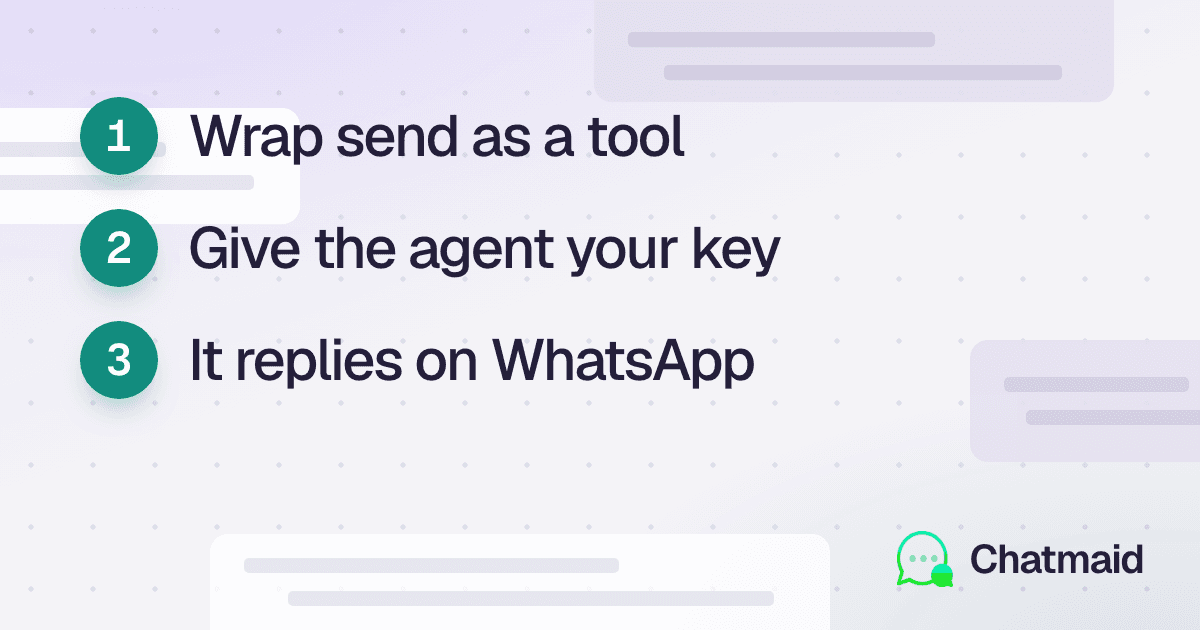
First, wrap the Chatmaid send API as a LangChain tool so the agent can use it to send messages:
import os
import requests
from langchain.tools import tool

CHATMAID_API_KEY = os.environ["CHATMAID_API_KEY"]
SENDER_PHONE = os.environ["SENDER_PHONE"]


@tool
def send_whatsapp_message(to: str, content: str) -> str:
    """Send a WhatsApp message to a phone number.

    Args:
        to: Phone number in international format (e.g., +15551234567)
        content: Message text to send

    Returns:
        Confirmation with message ID or error message
    """
    response = requests.post(
        "https://developers-api.chatmaid.net/v1/messages/send",
        headers={
            "Authorization": f"Bearer {CHATMAID_API_KEY}",
            "Content-Type": "application/json"
        },
        json={
            "fromPhoneId": SENDER_PHONE,
            "to": to,
            "content": content
        }
    )

    if response.status_code in (200, 201):
        data = response.json()
        return f"Message sent successfully. ID: {data['messageId']}"
    else:
        return f"Failed to send: {response.json().get('error', {}).get('hint', 'Unknown error')}"
Part 2: Conversation Memory with Supabase
LangChain has several built-in memory classes. For a production WhatsApp agent, we need memory that:
- Persists between server restarts
- Is keyed by phone number (each customer has their own memory)
- Has a configurable window size
Here's a custom memory class using Supabase:
from langchain.memory import ConversationBufferWindowMemory
from langchain.schema import HumanMessage, AIMessage
from supabase import create_client
from typing import List, Dict, Any


class SupabaseWhatsAppMemory:
    """Persistent conversation memory keyed by WhatsApp phone number."""

    def __init__(self, phone_number: str, window_size: int = 10):
        self.phone_number = phone_number
        self.window_size = window_size
        self.supabase = create_client(
            os.environ["SUPABASE_URL"],
            os.environ["SUPABASE_KEY"]
        )

    def load_messages(self) -> List[Dict]:
        """Load the last N messages for this phone number."""
        result = self.supabase.table("whatsapp_chat_history") \
            .select("role, content") \
            .eq("phone_number", self.phone_number) \
            .order("created_at", desc=False) \
            .limit(self.window_size * 2) \
            .execute()

        return result.data or []

    def save_message(self, role: str, content: str):
        """Save a single message turn."""
        self.supabase.table("whatsapp_chat_history").insert({
            "phone_number": self.phone_number,
            "role": role,
            "content": content
        }).execute()

    def get_langchain_messages(self):
        """Return messages formatted for LangChain."""
        raw = self.load_messages()
        messages = []
        for msg in raw:
            if msg["role"] == "user":
                messages.append(HumanMessage(content=msg["content"]))
            elif msg["role"] == "assistant":
                messages.append(AIMessage(content=msg["content"]))
        return messages
Part 3: Building the Agent
from langchain_openai import ChatOpenAI
from langchain.agents import AgentExecutor, create_openai_tools_agent
from langchain.prompts import ChatPromptTemplate, MessagesPlaceholder
from langchain.tools import tool
import datetime


# Define tools available to the agent
@tool
def get_current_time() -> str:
    """Get the current date and time."""
    return datetime.datetime.now().strftime("%B %d, %Y at %I:%M %p")


@tool
def calculate(expression: str) -> str:
    """Evaluate a mathematical expression.

    Args:
        expression: A math expression like '15 * 23 + 7'
    """
    try:
        result = eval(expression, {"__builtins__": {}})
        return str(result)
    except Exception as e:
        return f"Could not calculate: {str(e)}"


# Add any other tools your agent needs:
# - Database lookup
# - Web search (via DuckDuckGo or Tavily)
# - CRM query
# - Calendar check

TOOLS = [
    get_current_time,
    calculate,
    # add_your_tools_here,
]

SYSTEM_PROMPT = """You are a helpful AI assistant communicating via WhatsApp.

Important guidelines:
- Keep responses SHORT and conversational (2-4 sentences max) — this is WhatsApp
- Respond in the same language the user writes in
- Be warm and helpful
- If you use a tool, naturally incorporate the result into your reply
- If you don't know something, say so honestly
- Don't use markdown formatting (no **bold**, no # headers) — WhatsApp renders plain text

Current context: You're helping users who message this number with questions and requests."""


def create_whatsapp_agent():
    """Create a LangChain agent for WhatsApp conversations."""
    llm = ChatOpenAI(model="gpt-4o", temperature=0.3)

    prompt = ChatPromptTemplate.from_messages([
        ("system", SYSTEM_PROMPT),
        MessagesPlaceholder(variable_name="chat_history"),
        ("human", "{input}"),
        MessagesPlaceholder(variable_name="agent_scratchpad"),
    ])

    agent = create_openai_tools_agent(llm, TOOLS, prompt)

    return AgentExecutor(
        agent=agent,
        tools=TOOLS,
        verbose=True,
        max_iterations=3,
        handle_parsing_errors=True
    )


AGENT = create_whatsapp_agent()
Part 4: The Webhook Handler
from flask import Flask, request, jsonify
import hmac
import hashlib
import threading

app = Flask(__name__)
WEBHOOK_SECRET = os.environ["CHATMAID_WEBHOOK_SECRET"]


def verify_signature(body: bytes, signature: str) -> bool:
    expected = "sha256=" + hmac.new(
        WEBHOOK_SECRET.encode(),
        body,
        hashlib.sha256
    ).hexdigest()
    return hmac.compare_digest(signature, expected)


@app.route("/webhook/whatsapp", methods=["POST"])
def whatsapp_webhook():
    # Verify the request is from Chatmaid
    signature = request.headers.get("X-Chatmaid-Signature", "")
    if not verify_signature(request.get_data(), signature):
        return jsonify({"error": "Unauthorized"}), 401

    # Acknowledge immediately (Chatmaid retries if no response within 5s)
    data = request.json

    # Process asynchronously to avoid timeout
    thread = threading.Thread(target=process_message, args=(data,))
    thread.daemon = True
    thread.start()

    return jsonify({"received": True}), 200


def process_message(payload: dict):
    """Process an incoming WhatsApp message."""
    if payload.get("event") != "message.received":
        return

    msg_data = payload["data"]
    phone = msg_data["from"]
    user_message = msg_data["content"]

    # Skip if message is empty or non-text
    if not user_message or msg_data.get("type") != "text":
        return

    print(f"Message from {phone}: {user_message}")

    # Load conversation memory
    memory = SupabaseWhatsAppMemory(phone_number=phone, window_size=10)
    chat_history = memory.get_langchain_messages()

    # Save incoming message
    memory.save_message("user", user_message)

    try:
        # Run the agent
        result = AGENT.invoke({
            "input": user_message,
            "chat_history": chat_history
        })

        agent_reply = result["output"]

        # Save the agent's reply
        memory.save_message("assistant", agent_reply)

        # Send via Chatmaid
        send_whatsapp_direct(phone, agent_reply)

    except Exception as e:
        print(f"Agent error for {phone}: {e}")
        send_whatsapp_direct(
            phone,
            "Sorry, I had trouble processing your message. Please try again in a moment."
        )


def send_whatsapp_direct(to: str, content: str):
    """Send a WhatsApp message directly (not via the agent tool)."""
    requests.post(
        "https://developers-api.chatmaid.net/v1/messages/send",
        headers={
            "Authorization": f"Bearer {CHATMAID_API_KEY}",
            "Content-Type": "application/json"
        },
        json={
            "fromPhoneId": SENDER_PHONE,
            "to": to,
            "content": content
        }
    )


if __name__ == "__main__":
    app.run(host="0.0.0.0", port=8000, debug=False)
Part 5: Adding Domain-Specific Tools
The agent becomes genuinely useful when you give it tools that access your data. Here are templates:
CRM Lookup Tool
@tool
def lookup_customer(phone_number: str) -> str:
    """Look up customer information by phone number.

    Args:
        phone_number: Customer's WhatsApp number
    """
    # Replace with your CRM query
    customer = db.query("SELECT * FROM customers WHERE phone = ?", phone_number)
    if not customer:
        return "No customer record found for this number."

    return (
        f"Customer: {customer['name']}\n"
        f"Email: {customer['email']}\n"
        f"Plan: {customer['plan']}\n"
        f"Member since: {customer['created_at'][:10]}\n"
        f"Open tickets: {customer['open_tickets']}"
    )
Product Catalog Tool
@tool
def search_products(query: str) -> str:
    """Search the product catalog.

    Args:
        query: Search terms (product name, category, price range)
    """
    # Replace with your inventory system
    results = product_search(query, limit=3)
    if not results:
        return f"No products found matching '{query}'."

    formatted = []
    for p in results:
        formatted.append(f"• {p['name']} — ${p['price']} ({p['status']})")

    return "\n".join(formatted)
Order Status Tool
@tool
def get_order_status(order_number: str) -> str:
    """Get the status of a customer order.

    Args:
        order_number: Order number (with or without # prefix)
    """
    order_number = order_number.lstrip('#')
    order = fetch_order(order_number)

    if not order:
        return f"Order #{order_number} not found."

    return (
        f"Order #{order_number}\n"
        f"Status: {order['status']}\n"
        f"Items: {', '.join(order['items'])}\n"
        f"Tracking: {order.get('tracking', 'Not yet shipped')}"
    )
Part 6: Using Claude Instead of GPT-4o
To use Anthropic's Claude instead of OpenAI:
from langchain_anthropic import ChatAnthropic
from langchain.agents import create_tool_calling_agent

llm = ChatAnthropic(model="claude-sonnet-4-20250514", temperature=0.3)

agent = create_tool_calling_agent(llm, TOOLS, prompt)
executor = AgentExecutor(agent=agent, tools=TOOLS, verbose=True)
The rest of the code is identical — LangChain abstracts the provider difference.
Part 7: Deployment
For a production deployment:
FROM python:3.12-slim

WORKDIR /app
COPY requirements.txt .
RUN pip install -r requirements.txt

COPY . .

CMD ["gunicorn", "--workers=4", "--bind=0.0.0.0:8000", "app:app"]
Deploy to Railway, Render, Fly.io, or any VPS. You need a public HTTPS URL for the Chatmaid webhook to reach your server.
For local development, use ngrok: ngrok http 8000 and register the ngrok URL as your Chatmaid webhook.