WhatsApp for SaaS Onboarding: How to Reduce Churn with Automated Messaging
WhatsApp onboarding works because it meets users where they already are, arrives at the exact moment triggered by their behavior, and gets read. Email can't compete on timeliness or open rates. The framework above — activation, habit formation, expansion, intervention — maps WhatsApp touchpoints to the moments that actually move retention metrics. Get started: developers.chatmaid.net/signup
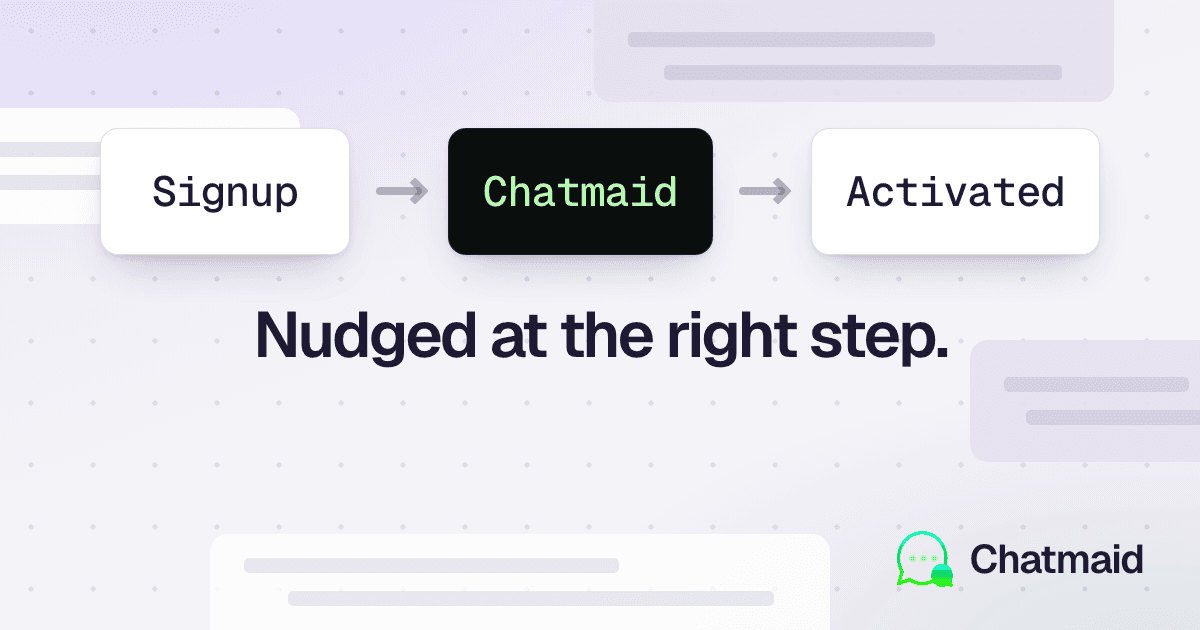
SaaS churn starts earlier than most founders think. The moment a user signs up and hits their first moment of confusion — and doesn't get help immediately — the countdown to cancellation begins. Most SaaS products try to solve this with email sequences, in-app tooltips, and help docs.
But email open rates average 20-25%. In-app messages are only visible when someone is already in the product. Help docs require the user to actively seek them out.
WhatsApp messages get read by over 90% of recipients, typically within minutes. That changes the math on onboarding and customer success entirely.
The WhatsApp Onboarding Framework
The goal isn't to spam users with WhatsApp messages. It's to send the right message at the right moment — triggered by their behavior, not a calendar.
The framework has four stages:
- Activation — guide users to their first meaningful action
- Habit formation — reinforce the behaviors that correlate with retention
- Expansion — prompt users who are getting value to explore more features
- At-risk intervention — catch disengaged users before they churn
Stage 1: Activation Messages
The first 24-48 hours after signup determine whether a user becomes active. Most SaaS products lose 40-60% of signups before they complete a single meaningful action.
Welcome + first step (immediate)
Send within 30 seconds of signup. Not a generic "welcome to our product" — a specific, actionable first step.
# Triggered by: new user signup webhook
def send_activation_welcome(user):
    if not user.phone:
        return

    send_whatsapp_task.delay(
        to=user.phone,
        content=(
            f"Hi {user.first_name}! 👋 Welcome to [Product].\n\n"
            f"The fastest way to get started: {FIRST_STEP_DESCRIPTION}\n\n"
            f"Takes 2 minutes → {FIRST_STEP_URL}\n\n"
            f"I'm here if you have any questions — just reply!"
        ),
        idempotency_key=f"welcome-{user.id}"
    )
Completion confirmation (event-triggered)
When the user completes their first key action, acknowledge it immediately.
# Triggered by: first project created, first integration connected, etc.
@event.listens_for(Project, "after_insert")
def on_first_project(mapper, connection, target):
    if target.user.project_count == 1 and target.user.phone:
        send_whatsapp_task.delay(
            to=target.user.phone,
            content=(
                f"✅ First project created — you're set up!\n\n"
                f"Next: invite your team so they can see {target.name}.\n"
                f"Add them here: {APP_URL}/settings/team"
            ),
            idempotency_key=f"first-project-{target.user.id}"
        )
24-hour nudge (if not activated)
# Celery beat schedule: check for inactive new users every hour
@celery.task
def check_unactivated_users():
    cutoff = datetime.utcnow() - timedelta(hours=24)

    unactivated = User.query.filter(
        User.created_at <= cutoff,
        User.created_at >= cutoff - timedelta(hours=1),
        User.activated_at == None,
        User.phone != None
    ).all()

    for user in unactivated:
        send_whatsapp_task.delay(
            to=user.phone,
            content=(
                f"Hi {user.first_name} — you signed up for [Product] yesterday but haven't gotten started yet.\n\n"
                f"The #1 thing new users do first: {FIRST_STEP_SHORT}\n"
                f"{FIRST_STEP_URL}\n\n"
                f"Takes 2 minutes. What's getting in the way? Reply and I'll help."
            ),
            idempotency_key=f"24h-nudge-{user.id}"
        )
Stage 2: Habit Formation Messages
Once a user has activated, the goal is to build a usage pattern. Research shows that users who perform a core action 3+ times in their first week have dramatically higher 30-day retention.
Feature discovery (day 3, if not used)
@celery.task
def feature_discovery_messages():
    # Users who activated but haven't used Feature X after 3 days
    three_days_ago = datetime.utcnow() - timedelta(days=3)

    users = User.query.filter(
        User.activated_at <= three_days_ago,
        User.activated_at >= three_days_ago - timedelta(hours=24),
        ~User.feature_x_used,
        User.phone != None
    ).all()

    for user in users:
        send_whatsapp_task.delay(
            to=user.phone,
            content=(
                f"Quick tip for [Product]: {FEATURE_X_NAME} is the feature our most successful users set up first.\n\n"
                f"Here's why it matters: {FEATURE_X_VALUE_PROP}\n\n"
                f"Set it up in 60 seconds: {FEATURE_X_URL}"
            ),
            idempotency_key=f"feature-x-{user.id}"
        )
Weekly progress summary
Users who see their own progress are more likely to continue. Send a brief weekly summary of what they've accomplished in the product.
@celery.task
def weekly_summary():
    # Run every Monday morning
    active_users = User.query.filter(
        User.phone != None,
        User.last_active_at >= datetime.utcnow() - timedelta(days=7)
    ).all()

    for user in active_users:
        stats = get_user_weekly_stats(user.id)

        send_whatsapp_task.delay(
            to=user.phone,
            content=(
                f"📊 Your week on [Product]:\n\n"
                f"• {stats['actions_completed']} {ACTION_NAME} completed\n"
                f"• {stats['team_members']} teammates active\n"
                f"• {stats['value_metric']}\n\n"
                f"Keep it up! This week: {NEXT_SUGGESTED_ACTION}"
            ),
            idempotency_key=f"weekly-{user.id}-{get_week_number()}"
        )
Stage 3: Expansion Messaging
Users who are getting consistent value are ready to hear about plan upgrades and additional features. WhatsApp expansion messages work because they're personal and conversational — not a banner ad inside the product.
Usage limit approach
# Triggered when user reaches 80% of their plan limit
def on_usage_threshold_reached(user, current_usage, limit):
    if current_usage / limit >= 0.8 and not user.notified_limit:
        send_whatsapp_task.delay(
            to=user.phone,
            content=(
                f"Hey {user.first_name} — you've used {int(current_usage/limit*100)}% of your monthly {USAGE_METRIC}.\n\n"
                f"You're clearly getting value from [Product] 🎉\n\n"
                f"Upgrade to Pro before you hit the limit: {UPGRADE_URL}\n"
                f"Pro gives you unlimited {USAGE_METRIC} + {PRO_FEATURE_1} and {PRO_FEATURE_2}."
            ),
            idempotency_key=f"usage-limit-{user.id}-{get_current_month()}"
        )
        user.notified_limit = True
        db.session.commit()
Expansion feature unlock
# Triggered when user's behavior suggests they'd benefit from a premium feature
def suggest_premium_feature(user, feature_name, feature_url, context):
    send_whatsapp_task.delay(
        to=user.phone,
        content=(
            f"Based on how you're using [Product], {feature_name} would save you time.\n\n"
            f"{context}\n\n"
            f"It's included in the Pro plan → {feature_url}"
        ),
        idempotency_key=f"feature-suggest-{user.id}-{feature_name}"
    )
Stage 4: At-Risk Intervention
The best time to prevent churn is before the user decides to cancel. Identify disengagement signals early.
7-day inactivity
@celery.task
def at_risk_outreach():
    seven_days_ago = datetime.utcnow() - timedelta(days=7)

    at_risk = User.query.filter(
        User.last_active_at <= seven_days_ago,
        User.last_active_at >= seven_days_ago - timedelta(hours=24),
        User.subscription_status == "active",
        User.phone != None
    ).all()

    for user in at_risk:
        send_whatsapp_task.delay(
            to=user.phone,
            content=(
                f"Hi {user.first_name} — haven't seen you in [Product] for a few days.\n\n"
                f"Is there something that's not working for you? Reply and I'll help sort it out — or point you to someone who can.\n\n"
                f"Log back in: {APP_URL}"
            ),
            idempotency_key=f"at-risk-7d-{user.id}"
        )
This message has one job: start a conversation. The user replies with their blocker. A human (or AI agent) responds and helps them. Many at-risk users are just stuck on something — removing that friction directly prevents churn.
Pre-renewal intervention (7 days before)
def pre_renewal_message(user, renewal_date, plan_name, amount):
    send_whatsapp_task.delay(
        to=user.phone,
        content=(
            f"Hi {user.first_name} — your {plan_name} renews in 7 days (${amount}/month).\n\n"
            f"Before it renews: is [Product] still working well for you? "
            f"Reply YES if all good, or tell me what could be better — we can adjust."
        ),
        idempotency_key=f"pre-renewal-{user.id}-{renewal_date}"
    )
This message does something remarkable: it gives the user permission to voice a concern directly to you before they cancel. Many customers who are about to churn will simply tell you why — and you can often fix it in a single conversation.
Handling Replies
All of the above messages invite replies. You need to handle them. Connect a Chatmaid webhook to an AI agent (see the n8n and LangChain articles) or route them to your customer success team via Slack:
@webhook_bp.route("/webhooks/chatmaid", methods=["POST"])
def handle_incoming():
    payload = request.json

    if payload["event"] != "message.received":
        return jsonify({}), 200

    phone = payload["data"]["from"]
    message = payload["data"]["content"]

    # Look up the user
    user = User.query.filter_by(phone=phone).first()

    # Route to Slack for human handling
    slack_client.chat_postMessage(
        channel="#customer-success",
        text=(
            f"*WhatsApp reply from {user.email if user else phone}*\n"
            f">{message}\n\n"
            f"<{APP_URL}/admin/users/{user.id}|View user> | "
            f"Reply via WhatsApp: {phone}"
        )
    )

    # Auto-acknowledge
    chatmaid.send_message(
        phone,
        "Got your message! A member of our team will follow up shortly. 🙏"
    )

    return jsonify({"received": True}), 200
Opt-In and Compliance
Only send WhatsApp messages to users who have provided their phone number and consented to receive messages. Best practices:
- Add an explicit checkbox during signup: "Get onboarding tips and product updates via WhatsApp"
- Store consent with a timestamp in your database
- Honor opt-out immediately: if a user replies "STOP" or "UNSUBSCRIBE", stop all messages
- Let users manage notification preferences in your account settings
# Handle opt-out
if "stop" in message.lower() or "unsubscribe" in message.lower():
    user.whatsapp_opted_out = True
    db.session.commit()
    chatmaid.send_message(phone, "You've been unsubscribed from WhatsApp notifications. Reply START anytime to re-enable.")
Measuring Impact
Track these metrics to measure your WhatsApp onboarding program:
- Activation rate — % of users who complete step 1 within 24h (before vs. after WhatsApp)
- Day-7 retention — % of users still active after 7 days
- Day-30 retention — the key SaaS metric
- At-risk recovery rate — % of disengaged users who re-activate after outreach
- Churn conversation rate — % of pre-renewal messages that prevent cancellation
A well-run WhatsApp onboarding program typically improves day-7 retention by 15-30% and reduces churn by 10-20% within the first quarter.