How to Build a WhatsApp Chatbot for Real Estate Lead Qualification
Real estate leads have a short attention span. A buyer who messages your listing at 9pm wants a response now — not tomorrow morning when your office opens. The agent who replies first wins the showing. The showing that gets booked becomes the deal.
A WhatsApp chatbot doesn't replace your agents. It makes sure no lead goes cold because nobody was available at the exact moment they reached out.
This guide shows you how to build one that works specifically for real estate: qualified questions, property matching, appointment booking, and handoff to a human agent — all automated.
What the Bot Does
The bot handles the full first-touch sequence:
- Welcomes the lead with a branded greeting
- Identifies intent — buying, renting, selling, or investing
- Qualifies with the right questions for their intent (budget, location, timeline, financing status)
- Matches to available properties from your listing data
- Captures full contact profile (name, email, preferred contact time)
- Books a showing or callback using your Calendly/Cal.com link
- Notifies the responsible agent with a full lead summary
- Escalates immediately for hot signals ("I'm ready to make an offer")
The Qualification Framework
The questions your bot asks determine lead quality. Here's the framework by intent:
For Buyers
- What type of property are you looking for? (apartment / house / commercial)
- What's your preferred location or neighborhood?
- What's your budget range?
- Are you financing or paying cash?
- If financing — have you been pre-approved?
- What's your timeline to buy? (immediately / 1-3 months / 3-6 months / just browsing)
- How many bedrooms? Any specific requirements?
For Renters
- Property type and location preference?
- Monthly budget?
- Move-in date?
- How many people in the household?
- Pets?
For Sellers
- What's the address of the property?
- What's your timeline to sell?
- Have you already listed with another agent?
- Are you looking for a specific price?
The bot asks these one at a time, naturally — not as a form dump.
Building the Bot
Stack
- Chatmaid — WhatsApp send/receive infrastructure
- n8n — workflow orchestration (no-code)
- OpenAI GPT-4o — conversation and qualification logic
- Google Sheets — lead database and conversation memory
- Calendly — appointment booking
System Prompt
This is the core of the bot's intelligence. Paste this into your AI node's system prompt, customizing the bracketed sections:
You are Sofia, a professional and warm real estate assistant for [Agency Name] in [City/Region]. Your role: - Welcome new inquiries warmly - Understand what the lead is looking for (buying, renting, selling, or investing) - Ask qualification questions ONE AT A TIME — never list multiple questions in the same message - Keep all messages SHORT (2-4 sentences max — this is WhatsApp, not email) - Respond in the same language the customer writes in - Be conversational, not robotic Qualification priority (buyers): 1. Intent (buy/rent/sell/invest) 2. Property type and location 3. Budget range 4. Timeline 5. Financing status 6. Specific requirements When you have intent + location + budget + timeline, you have enough to qualify the lead. After qualification: - Mention 1-2 relevant properties from the catalog below if available - Offer to book a showing: "Would you like to schedule a visit? Here's our booking link: [calendly URL]" - Collect their name and email for follow-up Escalate immediately (reply with "[ESCALATE]" at the start of your message) if the lead: - Says they're ready to make an offer - Is a cash buyer with a short timeline - Asks to speak with an agent directly Property catalog: [Paste 5-10 current listings in plain text: type, location, bedrooms, price, key features] Agency info: - Name: [Agency Name] - Website: [URL] - Office hours: Monday–Friday 9am–6pm - Emergency line: [phone]
n8n Workflow Structure
Node 1: Webhook trigger (receives incoming WhatsApp messages from Chatmaid)
Node 2: Filter — only process message.received events, ignore outbound
Node 3: Extract phone number, message content, timestamp
Node 4: Google Sheets lookup — fetch last 15 messages from this phone number (conversation memory)
Node 5: OpenAI call — include conversation history + current message + system prompt
Node 6: Check for [ESCALATE] flag in AI response
Node 7a (if escalation):
- Strip
[ESCALATE]from the reply text - Send reply to customer
- Send Slack/WhatsApp alert to listing agent with lead summary
Node 7b (if normal):
- Send reply to customer via Chatmaid
Node 8: Save turn to Google Sheets (customer message + bot reply)
Lead Capture and CRM Logging
After 3-4 turns, the bot has enough information to create a lead record. Add a node that extracts the structured profile from conversation history:
javascript
// Function node in n8n const systemPrompt = `Extract the following from this conversation in JSON format: { "name": "customer name if provided, else null", "email": "email if provided, else null", "intent": "buy | rent | sell | invest | unknown", "property_type": "apartment | house | commercial | land | unknown", "location_preference": "text or null", "budget_min": number or null, "budget_max": number or null, "timeline": "immediate | 1-3 months | 3-6 months | browsing | unknown", "financing": "pre-approved | in process | cash | unknown", "qualification_score": "hot | warm | cold", "notes": "any other relevant details" } Only include confident values. Return only the JSON object.`; return { systemPrompt, conversationHistory: $json.history };
Write this record to a "Leads" sheet or your CRM via Zapier/Make connector.
Agent Escalation Notification
When a hot lead triggers escalation, send the agent a structured WhatsApp summary:
🔥 HOT LEAD — Sofia handoff Name: Carlos Mendez Phone: +507-6123-4567 Intent: Buy Budget: $200K–$250K Timeline: Immediate (wants to move next month) Financing: Pre-approved ✅ Interest: 2BR apartment, Casco Viejo area Last message: "I really liked the Casco listing. Can I see it this week?" Conversation: [Google Sheets link] Book a showing: [Calendly link]
The agent clicks the Calendly link and books directly — fully context-aware without reading the entire thread.
Handling Common Real Estate Questions
Train the bot to handle these without escalating:
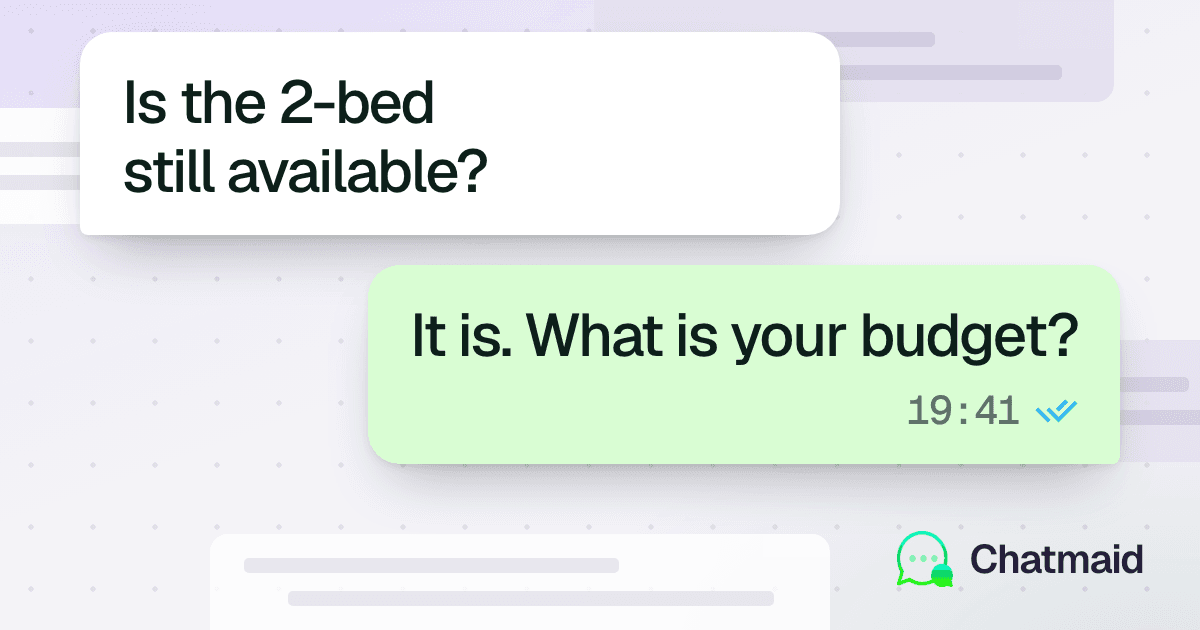
"Is the property still available?" The bot checks against your property catalog in the system prompt and answers directly.
"What's included in the HOA?" Include HOA details in the property catalog section of the system prompt.
"Can I negotiate the price?" Standard response: "Our agents are open to discussing terms once we understand your offer. I can set up a call to talk through the details — would that work?"
"What documents do I need?" Include a brief document list for your market in the system prompt.
Property Catalog Updates
The system prompt's property catalog needs to stay current. Two approaches:
Manual (simple): Update the system prompt in n8n whenever listings change. Takes 5 minutes.
Automated (advanced): Store listings in a Google Sheet. Before the AI call, fetch current listings via a Google Sheets node and inject them into the prompt dynamically. New listing = automatic availability in the bot.
Results to Expect
Based on typical deployments of this architecture:
- Response time: Under 5 seconds, 24/7
- Lead capture rate: 40-60% of inquiries provide contact details (vs. ~20% with delayed human response)
- Qualification rate: 70%+ of conversations complete the qualification flow
- Agent time saved: 60-80% of first-touch conversations handled without human involvement
- Showing booking rate: 15-25% of qualified leads book directly through the bot
What the Bot Cannot Do
Be clear about limitations:
- It can't show properties virtually (though it can send a link to a video tour)
- It can't negotiate or make commitments
- It can't access real-time MLS data without additional integration
- It can't sign documents or process payments
These are all human tasks — which is exactly why the bot exists: to filter and qualify so agents spend their time on the conversations that matter.
Getting Started
- Sign up at developers.chatmaid.net/signup
- Connect your agency's WhatsApp number (or a dedicated one for the bot)
- Set up n8n and paste the workflow structure above
- Customize the system prompt with your property catalog and agency details
- Test by sending a message to the number yourself
Sandbox keys are free — you can build and test the entire bot before subscribing.