WhatsApp for Real Estate Agents: The Follow-Up Playbook
A WhatsApp follow-up plan for real estate agents: what to send buyers after a showing, sellers and open house visitors, and when, with templates to schedule.
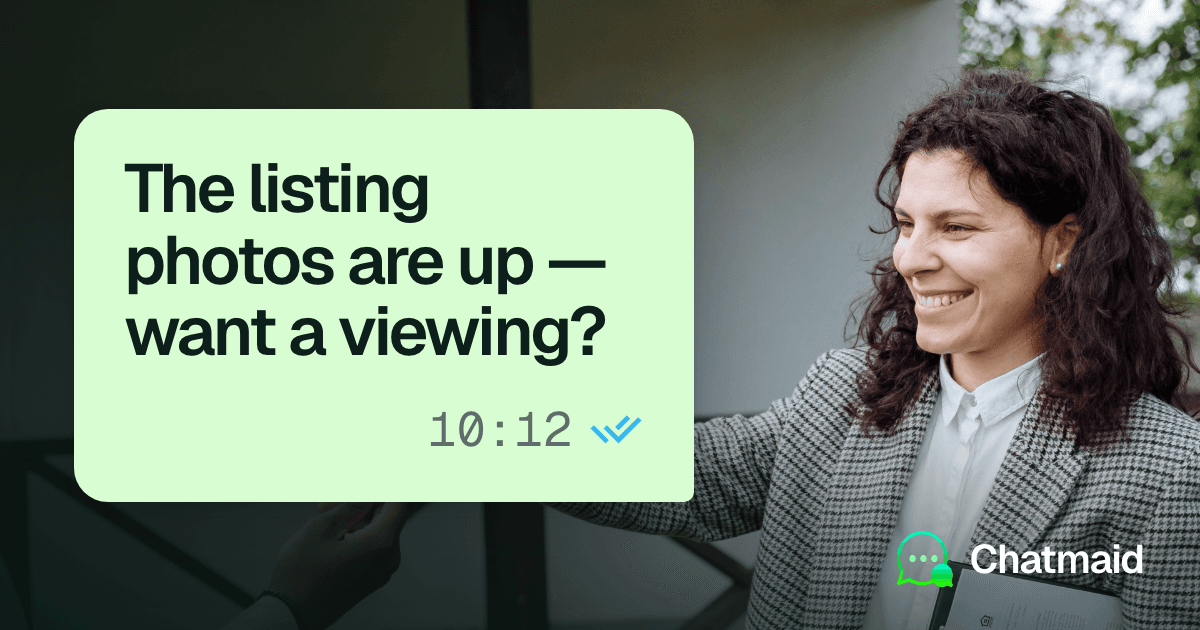
A simple WhatsApp follow-up system for a real estate agent is four scheduled messages after every showing: a thank-you the same day, a check-in two days later, a useful update after a week, and a re-engagement message after a month. Sellers get a weekly update while their home is listed. You write each message once, schedule most of the sequence right after the showing from your own WhatsApp number, and cancel whatever is left as soon as the buyer replies. The messages go out on time even when you are in back-to-back showings.
Below you'll find the timing, a template for each message, who you can contact and how often, and how to set it all up in Chatmaid Schedule.
When to follow up after a showing
| Message | When to send | What it does |
|---|---|---|
| Viewing confirmation | The day before the showing | Confirms the time and makes it easy to move |
| Thank-you | Same day, a few hours after the showing | Asks for first impressions while the visit is fresh |
| Check-in | Two days later | Answers questions before they stall a decision |
| Update | One week later | Sends new listings or local news that fit the buyer's brief |
| Re-engagement | One month later | Reopens the conversation with buyers who paused |
Treat this as a starting point, not a rule. Tighten it when a buyer has a deadline or the market is moving fast, and stretch it for someone who told you they are six months away from buying.
Two habits keep the sequence from feeling automated:
- Stop when the buyer answers. Once they reply, you are in a real conversation. Cancel or rewrite the messages still scheduled for them, so nobody gets "just checking in" two days after telling you they made an offer elsewhere.
- Stop after silence. If none of the four messages gets a reply, don't start another sequence. Wait for the buyer to get in touch, or for a listing that clearly fits their brief.
Who you can message, and how often
The safe test is simple: did this person give you their number so you could contact them about property?
- Buyers who booked a showing: yes, once they agree. Ask at the showing whether WhatsApp is a good way to follow up, and only start the sequence for people who say yes.
- Open house visitors: only the ones who wrote down their number and agreed to hear from you. Add a line to the sign-in sheet, such as "WhatsApp me about similar homes", and contact only the people who ticked it.
- Sellers and listing prospects: yes, about their home and the listing you discussed.
- Bought lists, neighborhood groups, or numbers collected for something else: no.
This matches WhatsApp's own rule. Its Business Messaging Policy, which covers the WhatsApp Business app, says you may contact people only if they gave you their number and opted in to hear from you, and that you must respect every request to stop.
A frequency guide that keeps you on the right side of that line:
- Per showing: four messages at most, fewer if the buyer replies.
- Sellers: one update a week while the home is listed.
- Time of day: daytime and early evening in the recipient's time zone.
- Stop requests: honor them the same day, without a message asking why.
Staying inside these limits also protects your number (see the FAQ on bans). Asking open house visitors to save your number helps too.
Buyer follow-up templates you can copy
Replace the parts in square brackets each time, and keep the property address in the message so the buyer knows at a glance which home you mean.
Day before the showing
Hi [Name], confirming our viewing of [Address] tomorrow at [time]. Reply here if you need to move it. [Your name]
For more confirmation wording, see the appointment reminders in 50 WhatsApp reminder message templates.
Same-day thank-you
Hi [Name], thanks for coming to see [Address] today. What were your first impressions? Happy to look into anything you want to know more about. [Your name]
Two-day check-in
Hi [Name], checking in on [Address]. Has anything come up since the showing, about the home, the area or the numbers? No pressure, I just want you to have what you need to think it through. [Your name]
One-week update
You can't know on showing day which homes will come up next week, so either schedule something you already know, or write this one later in the week.
To schedule right after the showing:
Hi [Name], one more thing about [Address]: [recent nearby sale / school or commute detail]. Want me to send you similar homes in that area as they come up? [Your name]
To write later in the week, once you have new listings:
Hi [Name], hope your week is going well. Two homes just came up that match what you described: [short details]. Want me to send the listings or set up a viewing? [Your name]
One-month re-engagement
Hi [Name], it's been a few weeks since you saw [Address]. Are you still looking, or did you find a place? Either way, I'm here if anything changes. [Your name]
You can attach listing photos, a short video tour or a floor plan PDF to the one-week update, or record a quick voice note instead of typing. For more wording ideas, see WhatsApp follow-up messages: 21 templates and when to send.
Messages for sellers, listing visits and open houses
The same approach works on the listing side.
After a listing presentation
Schedule a thank-you for the next day and a check-in a week later, if the seller hasn't decided by then.
Hi [Name], thanks for showing me around [Address] yesterday. As promised, here is the pricing summary we talked about. Any questions, just reply here. [Your name]
Hi [Name], following up on our conversation about selling [Address]. Have you had a chance to think it over? Happy to walk through the numbers again. [Your name]
Weekly update while the home is listed
Hi [Name], here's this week's update on [Address]: [number] showings. What buyers said: [summary]. Next step: [plan]. [Your name]
Because a recurring message repeats its last text, edit it in Message History > Recurring before each send, or write each week's update as a one-time message the evening before. If a week is quiet, say so rather than skipping it.
After an open house
Hi, thanks for stopping by the open house at [Address] today. If you'd like the full listing details or similar homes, just reply here. [Your name]
Send it the same evening, only to the visitors who agreed to hear from you. Because the same text goes to everyone, you can pick several recipients for one message, which is why this version leaves out the name.
How to set it up in Chatmaid Schedule
Chatmaid Schedule sends WhatsApp messages from your own number. It links the way WhatsApp Web does, as a linked device. It is not the WhatsApp Business API, nothing is spoofed, and the message arrives from your number like any other. Messages go out from Chatmaid's cloud at the scheduled time, even if your phone is off, out of battery or offline.
One-time setup
- Install Chatmaid Schedule on iPhone or Android. You can also create the account in a browser.
- Link the WhatsApp number your clients know: in WhatsApp, go to Settings > Linked Devices > Link a Device, tap Link with phone number instead, and enter the code Chatmaid shows.
- Save the buyer templates in the app under More > Message Templates.
Right after each showing
- Create a new message and pick the buyer. If the number came from a portal enquiry and isn't saved in your phone, use the Unsaved tab and type it in (more on messaging unsaved numbers).
- Tap Select a template, choose the thank-you, replace the name and address, and add any photos or documents.
- Schedule it as a one-time message for later that day.
- Repeat for the two-day check-in and the one-month re-engagement. For the one-week update, either schedule the version with something you already know, or write it later in the week, once you have new listings to share.
When something changes
- The buyer replies, makes an offer or picks another agent: in Message History > Scheduled, open each message for that buyer and tap Cancel Message or Edit Message.
- The showing moves: edit the date and time of the messages that depend on it.
- Something didn't go out: failed messages show as Failed in the Completed tab of Message History. Tap Retry Now where it appears, or schedule the message again. A quick look once a day is enough.
The weekly seller update
Create a new message to the seller, choose a recurring send, set it to weekly, and pick the day and time. Set the End Date to the day the listing agreement ends, so the updates stop on their own, and cancel it in Message History if the property sells sooner. For more on repeating messages, see how to schedule recurring WhatsApp messages.
When you need more than a scheduling app
Chatmaid Schedule fits an agent who creates each message by hand. It has a daily sending limit, with each recipient counting once on the day you schedule, so a weekend with several showings and an open house can reach it. Two other setups go further:
- Many contacts at once, with each person's name: Chatmaid Web is a browser dashboard for small businesses, with contact lists, personalized messages and campaigns that space bulk sends out over time. It costs $12.99 a month.
- Replying to portal leads automatically or logging them in a CRM: Chatmaid Developers is a WhatsApp API on your own number, $7.99 a month with a free sandbox. For an example, see how to build a WhatsApp chatbot for real estate lead qualification.
Frequently asked questions
Will scheduled follow-ups get my WhatsApp number banned?
It is very unlikely with normal use. Restrictions happen when an account behaves like spam, sending unsolicited bulk messages to people who do not have you saved. Follow-ups to buyers and sellers who gave you their number are expected messages. Leave out anyone who didn't.
Do the messages still go out while I'm in a showing or my phone is off?
Yes. Chatmaid sends from its cloud at the scheduled time, even if your phone is off, out of battery or offline.
Can I use WhatsApp's own scheduled messages instead?
As of October 2026, WhatsApp's own scheduling is in beta only. Some Android beta testers have had it since 12 October (WABetaInfo), and some iPhone testers on TestFlight since 22 October (WABetaInfo). It isn't in the regular app on either platform. It schedules from 10 minutes to two weeks ahead, so the one-month re-engagement message is out of its range, and it has no recurring messages for a weekly seller update. More in is WhatsApp's scheduler available yet?
Do I have to save every lead as a contact?
No. Chatmaid Schedule has an Unsaved tab where you type the number in, which suits leads from portals and sign-in sheets.
Can I message open house visitors on WhatsApp?
Only the ones who gave you their number and agreed to hear from you, for example by ticking a box on the sign-in sheet. WhatsApp's Business Messaging Policy requires that opt-in.
How much does Chatmaid Schedule cost?
As of October 2026, there is a 7-day free trial with every feature and no credit card. After that, Premium costs $2.79 a month. For a team or brokerage, the Organization plan is $2.79 per agent a month, for 2 agents or more; it puts everyone on one bill, and each agent links their own WhatsApp number. Full details are on the pricing page.