WhatsApp Appointment Reminders: How Clinics Reduce No-Shows
How clinics cut no-shows with WhatsApp appointment reminders: what the research shows, when to send them, and privacy-safe templates to copy.
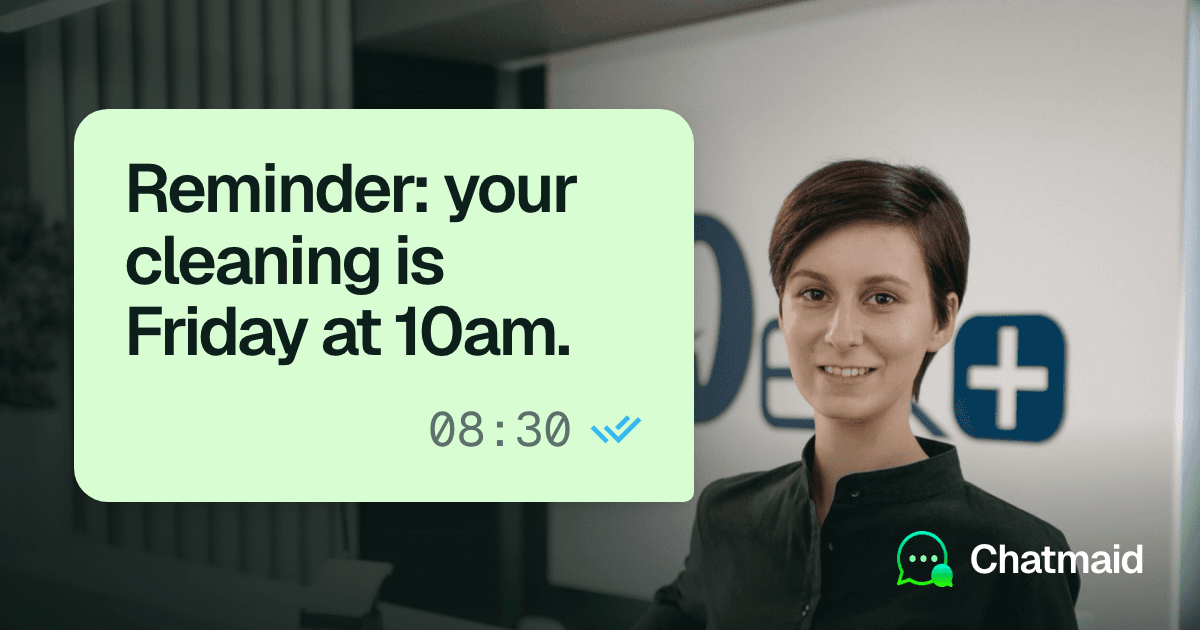
Clinics cut no-shows with WhatsApp by sending each patient a short reminder about a day before the appointment, from the clinic's own number, that asks for a one-word reply and makes rescheduling easy. The research supports reminders: a Cochrane review of randomized trials found text reminders raise attendance, and a large 2026 study in Buenos Aires, not yet peer reviewed, found a single WhatsApp reminder sent 24 hours ahead cut no-shows by about a quarter. Keep every reminder to the clinic name, date, time and place. Leave out diagnoses, test names and treatment details.
Below: what the studies found, when to send each message, privacy-safe templates, and how to schedule them with Chatmaid Schedule.
What the research says about reminders and no-shows
Text reminders raise attendance, about as much as phone calls. A Cochrane review (Gurol-Urganci and colleagues, 2013) included eight randomized trials with 6,615 participants. Text message reminders improved attendance compared with no reminder and had about the same effect as phone call reminders. Across the trials, attendance was 67.8% with no reminder, 78.6% with a text reminder and 80.3% with a phone call. Pooled, text reminders made attendance about 14% more likely than no reminder (risk ratio 1.14). These were SMS reminders, not WhatsApp, and the authors rated the evidence for the comparison with no reminder as moderate quality.
One WhatsApp reminder, the day before, did most of the work. A 2026 study from Buenos Aires (Esteban and colleagues) looked at 475,214 outpatient appointments in the city's public health system between June 2023 and May 2024. Without a reminder, 34.6% of patients missed their appointment. Compared with no reminder:
- A single WhatsApp reminder about 24 hours before reduced no-shows by about a quarter (risk ratio 0.76, around 8 percentage points).
- Two reminders, about 72 and 24 hours before, did about the same (risk ratio 0.80).
- A single reminder about 72 hours before did less (risk ratio 0.91).
Adding the earlier reminder to the day-before one did not improve attendance, but it led more patients to cancel ahead of time, which gives the clinic a chance to offer the slot to someone else. The authors conclude that timing matters more than the number of reminders. Two caveats: it is a preprint that had not been peer reviewed when we checked, and it analyzes routine records from the health system rather than running a randomized trial. Randomized evidence is less clear on timing: a 2012 meta-analysis of eight randomized SMS trials found that reminders raised attendance but found no significant difference between sending them 24, 48, or 72 or more hours ahead (Guy and colleagues, Health Services Research).
Reminders don't fix every reason people stay away. In a randomized trial in Punjab, India (BMC Public Health, 2024), 388 patients with uncontrolled high blood pressure got two WhatsApp messages, 3 days and 1 day before their follow-up visit, combining a reminder with short corrections of common myths about hypertension. Attendance was 21.8% with the messages and 19.6% without, a difference too small to rule out chance. A reminder helps patients who would otherwise forget. Patients who stay away for other reasons, such as cost, distance or doubts about treatment, may need more than a message.
Wording can matter. In the first of two trials at Barts Health NHS Trust in London (PLOS ONE, 2015), a text reminder that stated what a missed appointment costs the health service (£161) lowered missed appointments from 11.1% to 8.4% compared with the trust's existing reminder, and the second trial replicated the effect. That study tested a public health service's cost, not a private clinic's fee, so treat it as a reason to test your own wording rather than a rule.
In short: reminders reduce no-shows, the day before is a safe default, and how much your clinic gains depends on your starting rate and on why your patients miss appointments. Measure it yourself (see the last section).
You may see 40% in this page's address. An earlier version used that figure, and we found no study that supports it for WhatsApp reminders.
When to send WhatsApp appointment reminders
| Message | When to send | What it is for |
|---|---|---|
| Booking confirmation | Right after the appointment is booked | Puts the details and your number in the patient's chat |
| Early reminder | About 3 days before, only for appointments booked weeks ahead | Surfaces cancellations while you can still refill the slot |
| Day-before reminder | About 24 hours before | The reminder the Buenos Aires study found most effective |
| Missed appointment note | The same day or the next, once | Gets the patient rebooked |
Most patients only need the confirmation and the day-before reminder. Ask for a reply in every reminder, and make changing the time as easy as confirming it.
WhatsApp appointment reminder templates for clinics
The templates below keep to the details a patient needs to show up. For more wording ideas, see our 50 WhatsApp reminder message templates.
Booking confirmation
Hi [First name], this is [Clinic]. Your appointment is booked for [Day, Date] at [Time] at [Address]. If you need to change it, just reply to this message.
Early reminder for appointments booked weeks ahead
Hi [First name], this is [Clinic]. A reminder that you have an appointment on [Day, Date] at [Time]. If that time no longer works, reply CHANGE and we'll find you another one.
Day-before reminder
Hi [First name], this is [Clinic]. You have an appointment tomorrow, [Date], at [Time] at [Address]. Reply YES to confirm or CHANGE if you need another time.
If the visit needs preparation, such as fasting, give the instructions in person, on paper or through your patient portal when the appointment is booked, not in WhatsApp, and keep the reminder generic: "Please follow the preparation instructions we gave you, and call us at [Phone] with any questions."
Missed appointment note
Hi [First name], this is [Clinic]. We missed you at your appointment today. If you'd like to book a new time, reply here or call us at [Phone].
Keep it free of blame. You don't know why the patient didn't come, and the goal is a new booking.
Standing weekly appointments
For physical therapy, counseling or any weekly slot, one recurring weekly message replaces a new reminder every week:
Hi [First name], this is [Clinic]. A reminder of your appointment tomorrow at [Time]. Reply CHANGE if you can't make it this week.
When the course of appointments ends, cancel the recurring message. More on repeating sends in how to schedule recurring WhatsApp messages.
What to leave out of a medical appointment reminder
A reminder can be read by more people than the patient. It may pop up on a lock screen, land on a phone shared with family, or go to a parent or caregiver. A scheduled message also has to be stored by the scheduling service until it goes out, and in Chatmaid it then appears in your Message History. So write every reminder as if someone other than the patient might see it.
Put in: the patient's first name, the clinic's name, the date, time and address, and how to confirm or change.
Leave out:
- Diagnoses, symptoms and conditions
- Test, procedure and medication names, and any results
- Department or specialty names that reveal a condition, such as an oncology, fertility or mental health clinic
- Insurance, billing and payment details
- Anything you would not say in a voicemail
Compare these two:
Too much: Hi [First name], reminder that your follow-up at the [Specialty] clinic to review your [test] results is tomorrow at 10:00.
Better: Hi [First name], this is [Clinic]. You have an appointment tomorrow at 10:00 at [Address]. Reply YES to confirm or CHANGE if you need another time.
If your clinic's name itself reveals a specialty, consider signing reminders with a neutral name, such as the medical center or the building, as long as patients will still recognize who is writing.
Results, prescriptions, referrals and clinical questions don't belong in WhatsApp reminders. Send them through your patient portal or another channel your practice has approved for health information, or by phone. Patients will sometimes reply with symptoms or questions about their treatment. Don't discuss them in the chat: reply that someone will call them, or point them to the portal.
The rules depend on where you practice:
- United States: HHS guidance on leaving messages for patients (written for voicemail and phone messages) says the HIPAA Privacy Rule allows providers to leave appointment reminders, but that they should limit what they disclose, for example to the practice's name and number and the details needed to confirm the appointment. Separately, the Privacy Rule requires providers to accommodate reasonable requests from patients to receive communications by other means or at other locations (45 CFR 164.522(b)). If a service stores patient names, numbers or appointment details for you, HIPAA generally treats it as a business associate, and you need a signed business associate agreement (BAA) with it first (HHS guidance from 2016, summarized by Mintz). If your practice is covered by HIPAA, check with your compliance lead before using any messaging tool for patient reminders, and keep the messages free of health details.
- European Union: Article 9 of the GDPR treats data concerning health as a special category with stricter rules. The fact that someone has an appointment at a particular clinic can reveal something about their health. A service that stores patient data for you is a processor, and Article 28 requires a written processing agreement with it.
- WhatsApp's own rules: if your clinic's number runs on the WhatsApp Business app, the WhatsApp Business Messaging Policy applies. It says to contact only people who gave you their number and opted in, to respect every request to stop, and not to use WhatsApp to send or request health-related information where regulations require systems with stronger safeguards for it.
This is practical guidance, not legal advice. Rules vary by country and state, so check with whoever handles privacy and compliance for your practice before you start.
Consent, opt-outs and whose phone it is
Ask at intake or booking, in plain words: "May we send appointment reminders by WhatsApp to this number?" Record the answer in the patient's file, along with whose number it is. For a child or an older patient, it is often a parent's or caregiver's phone, which matters for what you write.
Offer another way to be reminded, such as SMS or a phone call, for anyone who says no. When a patient asks you to stop, stop the same day and cancel any reminders already scheduled for them.
Staying within these limits also protects the clinic's number. With normal use, a WhatsApp restriction is very unlikely. Restrictions happen when an account behaves like spam, sending unsolicited bulk messages to people who do not have the sender saved. Patients who booked with you and agreed to reminders expect to hear from you. Asking them to save the clinic's number also helps them recognize your messages.
How to set up clinic reminders with Chatmaid Schedule
Chatmaid Schedule sends WhatsApp messages from your clinic's own number. It links the way WhatsApp Web does, as a linked device. It is not the WhatsApp Business API, nothing is spoofed, and patients see a normal message from the clinic. Messages go out from Chatmaid's cloud at the scheduled time, even if the front-desk phone is off, out of battery or offline.
One-time setup
- Install Chatmaid Schedule on iPhone or Android, or create an account in a browser.
- Link the clinic's WhatsApp number, not a doctor's personal one, so replies reach the front desk.
- Fill in the templates above with your clinic's name, address and phone, and keep them in a shared note that staff can copy from.
For each new appointment
- Create a new message and pick the patient. If the number isn't saved on the phone, use the Unsaved tab and type it in, so you don't have to save every patient as a contact (more on messaging unsaved numbers).
- Paste the booking confirmation, fill in the details and schedule it for a few minutes from now.
- Create the day-before reminder the same way, set for about 24 hours before the appointment.
- If the appointment is weeks away, add the early reminder about 3 days before.
If an appointment moves, open the scheduled reminder in Message History and edit the date or time. If it is cancelled, open the reminder and cancel it, so the patient doesn't get a reminder for a visit that no longer exists.
Every day
- Check the clinic's WhatsApp for replies at set times, for example mid-morning and mid-afternoon. Mark confirmations in your appointment book and offer new times to anyone who replied CHANGE.
- Check Message History for anything marked as failed and send it again.
- Schedule the missed appointment note for anyone who didn't come.
Chatmaid Schedule has a daily sending limit on every plan, counted on the day you schedule the messages, which suits a small practice. A clinic booking dozens of appointments a day should look at Chatmaid Web, which allows up to 5,000 messages a day on its paid plan, or the API below. Chatmaid's Organization plan puts several staff accounts on one bill, but each member links their own WhatsApp number, so schedule clinic reminders from the account linked to the clinic's number. If your practice uses booking software and has a developer, Chatmaid Developers offers a WhatsApp API on your own number, with a free sandbox, so reminders can be created automatically when an appointment is booked. Our Python guide to building a WhatsApp appointment reminder system walks your developer through it.
As of October 2026, Chatmaid Schedule includes a 7-day free trial with every feature and no credit card, and Premium costs $2.79 a month after that. Full details are on the pricing page.
How to tell if your reminders are working
Count before you change anything, so you have a baseline:
- No-show rate: appointments the patient missed without telling you, divided by all appointments booked. Track it for four to eight weeks before you start reminders and for the same length of time after.
- Late cancellations: patients who cancel or change after a reminder. A rise here can be good news, because a slot you hear about in advance can go to someone else.
- Refilled slots: how many of those freed slots you managed to fill.
Compare the same weeks and the same kinds of appointments, since no-show rates can differ between new and returning patients and between specialties. If no-shows barely move, look at why patients are missing visits. The Punjab trial is a reminder that forgetting is only one of the reasons.
Frequently asked questions
How much can WhatsApp reminders reduce no-shows?
There is no single figure. In a 2026 study of 475,214 appointments in Buenos Aires, one WhatsApp reminder sent 24 hours ahead cut no-shows by about a quarter compared with no reminder. Your result depends on your starting rate and on why patients miss visits, so measure it.
How far in advance should a clinic send an appointment reminder?
About 24 hours before is a safe default. In the Buenos Aires study, a day-before reminder worked better than one sent three days ahead, and adding the earlier one did not improve attendance, though an older meta-analysis of randomized SMS trials found no clear difference by timing. An earlier reminder is still useful for appointments booked weeks out, because it brings in cancellations while you can refill the slot.
Are WhatsApp appointment reminders allowed under HIPAA?
HIPAA doesn't ban them, but two conditions apply. Keep the content minimal: HHS guidance on leaving messages for patients says to limit what you disclose to the practice's name and number and what's needed to confirm the appointment. And any service that stores or sends patient details for you, including a scheduling app, generally needs a signed business associate agreement (BAA). Check both with your compliance lead before you start. Never send results or clinical details in a reminder.
What should a medical appointment reminder leave out?
Diagnoses, symptoms, test, procedure and medication names, results, and any specialty name that reveals a condition. Stick to the patient's first name, the clinic's name, the date, time and address, and how to confirm or change.
Can patients reply to confirm or reschedule?
Yes. Chatmaid sends from the clinic's own WhatsApp number, so replies arrive in the clinic's normal WhatsApp chats, where staff can confirm or offer a new time.
Can we use WhatsApp's own scheduled messages instead?
As of October 2026, WhatsApp's built-in scheduling is still in beta. It is rolling out to some Android testers and, since 22 October, to some iPhone testers on TestFlight (Android, iPhone). It isn't in the regular app on either platform yet. It schedules one message at a time, from 10 minutes to two weeks ahead, and has no recurring option, so it won't cover standing weekly appointments. More in is WhatsApp's scheduler available yet?