Best WhatsApp Scheduling Apps (2026): Free and Paid Compared
SKEDit, Wasavi, Blueticks, Shortcuts, Chatmaid and WhatsApp's beta compared (October 2026): iPhone or Android, phone off, repeats, prices and free plans.
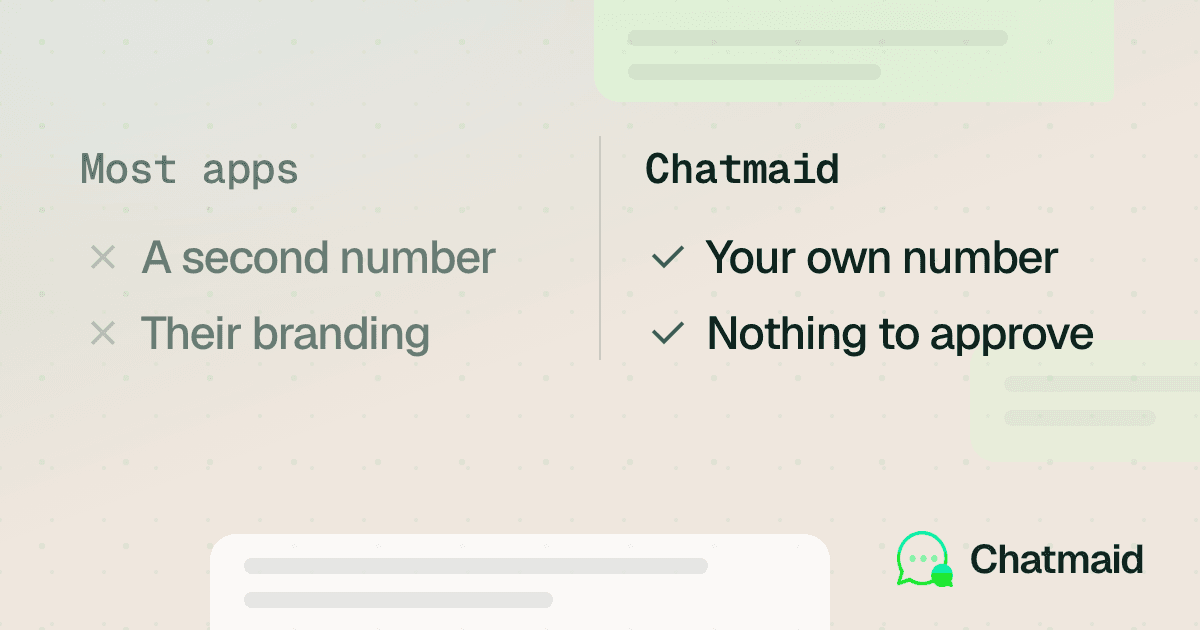
The best WhatsApp scheduling app depends on your phone and on whether it will be on when the message is due. On iPhone, Chatmaid Schedule sends with the phone off, while Apple Shortcuts is free but needs the phone on and may need you to unlock it or confirm. On Android, SKEDit and Wasavi send from the phone, so it has to stay on; Chatmaid Schedule sends even if it is off. From a computer, Blueticks works inside WhatsApp Web. Free options: Shortcuts, and the free versions of SKEDit, Wasavi and Blueticks. WhatsApp's own scheduler is still a limited beta as of October 2026 (below), and WhatsApp Business away messages are auto-replies, not a scheduler.
Disclosure: we make Chatmaid Schedule. Details on the other tools come from each vendor's site or the source linked in its section.
Where WhatsApp itself stands (October 2026): WhatsApp is testing its own scheduled messages in a limited beta. It started reaching some Android beta testers on October 12, 2026 (WABetaInfo), and some iPhone testers on TestFlight on October 22 (WABetaInfo). It is not in the stable app on either phone, not on WhatsApp Web, and WhatsApp has not confirmed it for desktop. There is no release date. In the beta you can schedule up to two weeks ahead, attach one photo or video per message, and there are no recurring messages. The other tools in this guide cover what the beta leaves out: repeats, dates further ahead, several attachments, sending from a computer, and everyone not in the beta. The full story is in Can you schedule messages on WhatsApp?.
How do the seven options compare?
| Option | Platforms | What must stay on at send time | Recurring | Groups | Price (October 2026) | Best for |
|---|---|---|---|---|---|---|
| WhatsApp scheduled messages | Beta only: some Android and iPhone TestFlight testers | Nothing | No | Yes | Free, part of WhatsApp | A one-off message within two weeks, if you have it |
| Chatmaid Schedule | iPhone, Android | Nothing | Daily, weekly, monthly | Yes | 7-day free trial, then $2.79/month | Sending with the phone off, on iPhone or Android |
| SKEDit | Android 8.0 or later | Your phone, on and online | Daily to yearly, or custom dates (Pro) | Yes | Free plan, 1 recipient per message; Pro $4.99/month, up to 30 | Android, several messaging apps, once-a-year repeats |
| Wasavi | Android | Your phone | Not stated by the vendor | Not stated by the vendor | Free install; in-app items $2.99 to $19.99 | Android, scheduling plus auto-replies |
| Apple Shortcuts | iPhone | Your iPhone, often unlocked | Daily, weekly, monthly | Not documented | Free, part of iOS | A free fixed text on iPhone |
| Blueticks | Chrome on a computer | Your computer with WhatsApp Web open (Free, Basic, Standard); nothing on Pro | Yes | Yes | Free plan; Basic $9 per user/month | Working all day in WhatsApp Web |
| WhatsApp Business away messages | WhatsApp Business app | Not a scheduler | Not a scheduler | Not a scheduler | Free app | Auto-replies outside hours |
Prices are in US dollars as listed on each vendor's site or store page in October 2026, and they change. Check the linked pages before you pay.
The biggest difference is what has to stay on at send time. An app that runs on your phone cannot send if the phone is off, out of battery or offline at send time, while a linked device keeps working without it (how that works).
WhatsApp's own scheduled messages (Android and iPhone beta)
How it works: In a chat, press and hold Send and pick a date and time. Scheduled messages are listed in the chat info screen, where you can delete them.
- Phone off: Nothing has to stay on. The message goes out at the chosen time even if your phone is offline.
- How far ahead: At least 10 minutes and up to two weeks.
- Content: Text, links, and one photo or video per message. Recipients cannot tell the message was scheduled.
- Recurring: No. Each message goes out once.
- Groups: Yes, with one catch: only people who were in the group when you scheduled the message receive it. Anyone who joins later does not.
- Price: Free, part of WhatsApp.
- Suits: Android and iPhone users who are already in the beta and have the feature, and want a one-off message within the next two weeks.
If you are not in the beta, there is no setting to turn it on, and joining the beta does not guarantee it, because the rollout is gradual. To check on Android or iPhone, see who has it and how to check.
Chatmaid Schedule
Chatmaid Schedule is our app. It links to your WhatsApp the same way WhatsApp Web does, as a linked device, and sends from your own number. It is not the WhatsApp Business API, and nothing is spoofed: the message comes from you.
- Platforms: iPhone (App Store) and Android (Google Play). You can also create your account in a browser.
- Phone off: Nothing has to stay on. Messages are sent from Chatmaid's cloud at the scheduled time, even if your phone is off, out of battery or offline.
- Recurring: One-time, daily, weekly or monthly. There is no once-a-year option, so a birthday message has to be scheduled again each year.
- Groups and recipients: Phone contacts, WhatsApp groups, and numbers you have not saved (there is an "Unsaved" tab). One message can go to several recipients.
- Content: Text with bold, italic and strikethrough formatting, plus photos, videos, documents and voice notes you record in the app. You can edit a scheduled message before it sends.
- Price (October 2026): A 7-day free trial with every feature and no credit card, then Premium at $2.79/month. Current prices for every plan are on the pricing page.
- Trade-offs: There is no free plan after the trial. You can schedule up to 50 messages a day; each recipient counts as one and a group counts as one. You need to link your WhatsApp to the app once, the same step as setting up WhatsApp Web. It uses one of WhatsApp's four linked-device slots, and WhatsApp logs out linked devices if your phone goes unused for more than 14 days, so open WhatsApp on your phone at least every two weeks (WhatsApp: About linked devices).
- Suits: People whose phone may be off, offline or out of battery at send time, and iPhone users who want a message to go out without unlocking or confirming. SKEDit Pro and Blueticks also handle repeats, groups and attachments, but they need your phone on or, below Blueticks Pro, your computer.
SKEDit
SKEDit is an Android app that schedules WhatsApp and WhatsApp Business messages, and also SMS, Telegram, email, phone calls, Messenger and Instagram DMs.
- Platforms: Android 8.0 or later, from Google Play and Huawei AppGallery. SKEDit's site says plainly that there is no iPhone app.
- Phone off: No. SKEDit sends from the apps on your phone through Android's accessibility service. Its site says the phone has to be on and online at send time, WhatsApp has to stay installed and logged in, and SKEDit should be excluded from battery optimization.
- Recurring: On Pro you can repeat a message daily, weekly or monthly, once a year, or on your own set of dates. The free plan sends one-off messages.
- Groups: Yes, you can schedule to a WhatsApp group. The free plan allows one recipient per message; Pro allows up to 30.
- Extras: Pro adds name placeholders, up to 30 attachments per message (including voice notes and documents) and scheduled WhatsApp status updates. The Max plan adds messages to WhatsApp broadcast lists, drip campaigns, CSV import, templates and a calendar view.
- Price (October 2026): Free, with up to 5 scheduled messages waiting at a time. Pro is $4.99/month or $26.99/year, with 30 waiting. Max is $8.99/month or $59.99/year, with no limit, according to SKEDit's site. Google Play shows prices in your local currency.
- Suits: Android users who want one app for several messaging services, or who need a message to repeat once a year, such as a birthday, and whose phone is reliably on and charged.
Wasavi
Wasavi: Auto message scheduler is an Android app on Google Play that schedules messages and images and sends automatic replies. Its listing says it works with WhatsApp, WhatsApp Business, Viber and Signal.
- Platforms: Android.
- Phone off: No. The listing explains that it uses the Accessibility Service to open WhatsApp, search for the contact and send the message on your phone, and that it needs permission to draw over other apps.
- Locked screen: To send while the screen is locked, the listing says it can unlock the phone automatically with your swipe or PIN code.
- Recurring and groups: The store listing does not describe repeat options or scheduling to groups, so test both before you rely on them.
- Extras: Auto-replies (including with your location), saving messages as tasks or notes, following chats for keywords, and sending your WhatsApp messages to Google Sheets.
- Price (October 2026): Free to install, with in-app purchases that Google Play lists at $2.99 to $19.99 per item in the US.
- Suits: Android users who want scheduling together with auto-replies and chat-to-spreadsheet features in one app.
Apple Shortcuts
Shortcuts is built into every iPhone. You give a shortcut a Time of Day automation trigger (on iOS 26 and earlier, a personal automation in the Automation tab) and add WhatsApp's send-message action with the chat and the text. Our iPhone scheduling guide walks through the setup on each iOS version.
- Platforms: iPhone only.
- Phone off: No. The automation runs on the iPhone, so it has to be on and online. Apple says some automations, including Time of Day, can run without asking you first, but in many setups the phone has to be unlocked or you have to confirm before the message sends.
- Recurring: Yes. Apple's Time of Day trigger repeats daily, weekly or monthly. There is no one-off option, so for a single message you turn the automation off after it runs (on iOS 27, remove the trigger).
- Groups: Neither Apple nor WhatsApp documents group sends from this action. Plan on plain text to one chat.
- Price: Free.
- Suits: iPhone users with a simple, fixed text (a daily check-in, a weekly reminder to one person) who are usually near their phone at send time.
Blueticks
Blueticks is a Chrome extension that adds a message planner and other tools to WhatsApp Web, for both WhatsApp and WhatsApp Business. It also offers an AI reply agent, personalized campaigns from Excel or CSV lists, a task board and a developer API.
- Platforms: Chrome on a computer, working through WhatsApp Web.
- Phone off: WhatsApp Web is a linked device, so your phone does not have to be on. What matters is the computer.
- Computer off: On Free, Basic and Standard, the extension runs in your browser, so the computer has to be on with WhatsApp Web open. Pro adds cloud sending that works with the computer off.
- Recurring: Yes. Its scheduler guide says a message can repeat every set number of minutes, hours, days, weeks, months or years, and stop on a date or after a number of sends.
- Groups: Yes. Blueticks' FAQ says you can pick recipients from your contacts, groups and channels, or type a phone number.
- Price (October 2026): A free plan with no time limit that keeps up to 3 scheduled messages waiting at a time and sends only while WhatsApp Web is open, per Blueticks. Per user, Basic is $9/month or $84/year, Standard $25/month or $240/year, and Pro (cloud sending) $50/month or $540/year, according to its pricing page.
- Suits: People who spend the workday in WhatsApp Web, and teams that want scheduling alongside AI replies and campaigns. Our guide to scheduling on WhatsApp Web and desktop covers the other ways to do it from a computer.
Can WhatsApp Business away messages schedule a message?
No. The free WhatsApp Business app has away messages, which WhatsApp describes as a way to respond automatically to messages received outside your business hours. Greeting messages work the same way for people who write to you for the first time.
Both are useful, but they are replies. An away message only goes to someone who has just written to you. You cannot use it to start a conversation, choose a recipient, or send a reminder at a set time.
The same WhatsApp page lists Business Broadcasts, which send one-to-one messages to many people and can be scheduled. WhatsApp says the feature is available to eligible users in select countries, so check whether your app has it. WhatsApp pitches broadcasts for repeat sales and bookings: they are built for marketing to many customers, not a reminder to one person at a set time. Costs and limits are in WhatsApp scheduling vs WhatsApp Business.
- Platforms: The WhatsApp Business app.
- Suits: Businesses that want instant replies outside opening hours, used alongside a scheduler for the messages they send first.
Which WhatsApp scheduling app is best for you?
- You have an iPhone: WhatsApp's own scheduler has only reached some TestFlight beta testers, so for most iPhone users the choice is Shortcuts (free, phone on, often needs a tap) or Chatmaid Schedule (sends with the phone off).
- You are in WhatsApp's beta and have the feature (Android, or iPhone via TestFlight): Try WhatsApp's own scheduler first for one-off messages within two weeks. Add an app when you need repeats, longer lead times, or one message to several people.
- You are on Android without the beta: SKEDit and Wasavi work if your phone stays on and charged. Chatmaid Schedule works if it might not.
- You need repeats: Chatmaid Schedule, SKEDit Pro, Blueticks and Shortcuts all repeat. The WhatsApp beta does not. Our recurring messages guide has the setup steps.
- Your phone may be off or offline: WhatsApp's beta, Chatmaid Schedule and Blueticks Pro send with none of your devices on. Blueticks Free, Basic and Standard need your computer on with WhatsApp Web open. SKEDit, Wasavi and Shortcuts need your phone on.
- You work in WhatsApp Web all day: Blueticks fits that workflow. If you send to contact lists, Chatmaid Web works in a browser and, once a campaign is scheduled, sends it from Chatmaid's cloud; it costs $12.99/month after a 7-day trial as of October 2026.
- You want it free: WhatsApp's beta if you have it, Shortcuts on iPhone, SKEDit's free plan on Android (5 messages waiting, one recipient each), or Blueticks' free plan on a computer (3 messages waiting). Shortcuts and SKEDit need your phone on, and Blueticks Free needs WhatsApp Web open.
- You want replies while you are closed: Use WhatsApp Business away messages, plus a scheduler for anything you send first.
Before you rely on a tool, schedule a test message to a friend for a time when your phone will be in airplane mode, or your laptop shut if you use a computer tool. If it arrives on time, the tool fits the way you work.
Setup steps for each method are in How to schedule WhatsApp messages: every method.
Is it safe to use a WhatsApp scheduler app?
With normal use, an account restriction is very unlikely. WhatsApp restricts accounts that behave like spam, such as sending unsolicited bulk messages to people who do not have your number saved. That holds whichever tool you use, including WhatsApp's own. Only message people who expect to hear from you.
Look at the access each tool asks for, too. Android apps that tap send for you need the Accessibility permission, which lets an app read and act on your screen, so grant it only to apps you trust. Linked-device tools connect the same way WhatsApp Web does, and you can see and remove them under Linked Devices in WhatsApp settings. WhatsApp's linked devices help page lists its own apps as the supported way to link and warns that linking unofficial apps may put an account at risk. Either way, pick a tool you trust and remove access you no longer use.
Frequently asked questions
Which WhatsApp scheduler is best for Android?
If your phone is always on and charged, SKEDit (free for up to 5 waiting messages; Pro at $4.99/month adds repeats, as of October 2026) or Wasavi will send from the phone itself. If it might be off, offline or out of battery, Chatmaid Schedule sends from the cloud. If you are in WhatsApp's Android beta and see the option, it covers one-off messages up to two weeks ahead.
Does WhatsApp have its own message scheduler?
As of October 2026, only as a limited beta for some Android testers and, since October 22, some iPhone TestFlight testers; it schedules up to two weeks ahead and does not repeat messages. Details and how to check: Can you schedule messages on WhatsApp?
Is there a SKEDit alternative for iPhone or Android?
SKEDit has no iPhone app. On iPhone, use Apple Shortcuts (free, but the phone must be on and you often confirm the send) or Chatmaid Schedule (sends with the phone off, with repeats, groups and attachments). On Android, Wasavi also sends from your phone, and Chatmaid Schedule sends from the cloud if your phone might be off.
Is there a free WhatsApp scheduler?
Yes. WhatsApp's beta feature and Apple Shortcuts are free. SKEDit's free plan holds 5 waiting messages with one recipient each, Blueticks' free plan holds 3 and sends only while WhatsApp Web is open, and Wasavi is free to install. Chatmaid Schedule has a 7-day free trial with every feature, then a monthly plan; see pricing.
Can I schedule a WhatsApp message on iPhone?
Yes. WhatsApp's own scheduler has reached only some iPhone beta testers on TestFlight (since October 22, 2026), not the App Store version. Everyone else can use a Shortcuts automation if the phone will be on and you can confirm the send, or Chatmaid Schedule if the message has to go out on its own.
Can these apps send recurring WhatsApp messages?
Chatmaid Schedule repeats daily, weekly or monthly. SKEDit Pro, Blueticks and Shortcuts also repeat, and SKEDit Pro and Blueticks can also repeat once a year. WhatsApp's beta scheduler sends each message only once.