How to Schedule Personalized Birthday Messages for Multiple WhatsApp Contacts
Remembering sixty birthdays is where things fall apart. Use a WhatsApp birthday message scheduler to write greetings ahead of time and send each one on the right day.
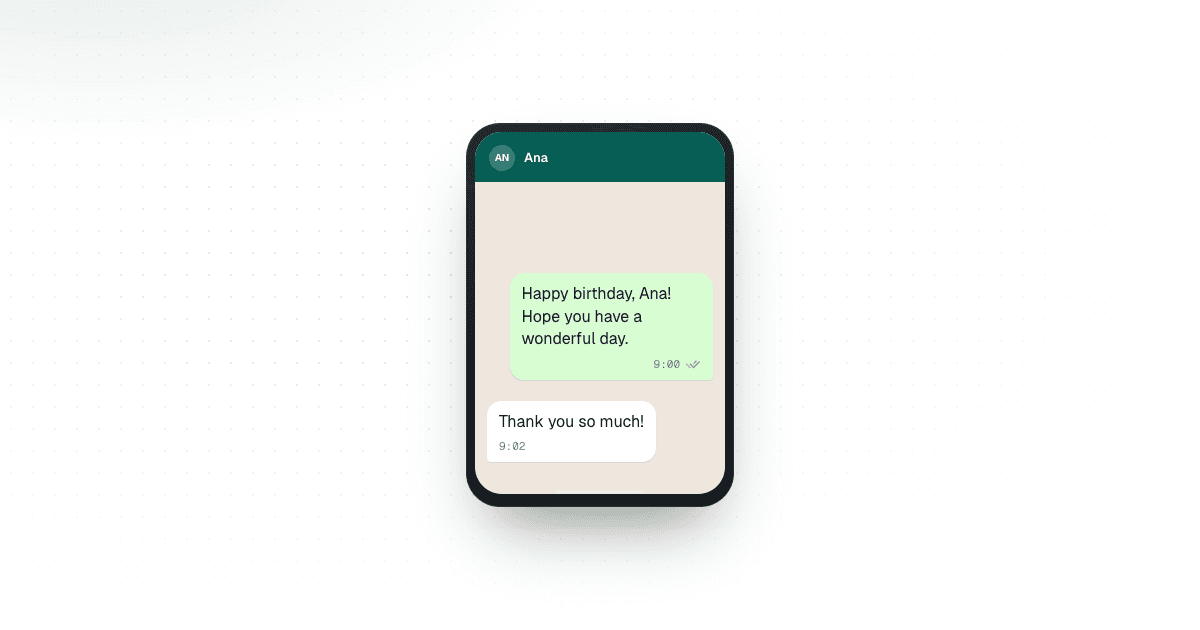
Remembering three birthdays is easy. Remembering sixty, half of them customers you speak to twice a year, is where things quietly fall apart. The message itself takes half a minute to write. Everything around it takes the time: checking the date, scrolling to find the right chat, wondering whether “Happy birthday!” is enough, then doing it all again on Thursday for someone else. Scheduling the messages ahead of time removes most of that friction, and you stop relying on memory.
Why schedule birthday messages in advance?
Nobody expects an essay on their birthday. A name, a warm line, and something that sounds like a real person wrote it is plenty. The hard part is timing, especially when birthdays are scattered across a big contact list.
A calendar reminder helps, but it only tells you what to do. You still have to stop, open WhatsApp and write the message. A WhatsApp birthday message scheduler moves that work earlier. You write the message on a quiet afternoon when you are in the mood to be friendly, pick the date and time, and forget about it until it goes out. Multiply that by every birthday in a year and you will feel the difference.
Start with a reliable birthday list
Scheduling is only as good as the list behind it. Before you schedule anything, make sure you know three things for each person: who they are, their WhatsApp number, and their birthday. A short note on how you know them helps too, because it changes how casual the greeting should be.
A few minutes here avoids some genuinely awkward outcomes. Numbers get replaced, people change jobs, and dates get typed wrong (day and month swapped is the classic). Check the list now and then: a lovely message sent to a number that now belongs to a stranger is not a good look.
Personalize each message without overdoing it
A birthday message should feel meant for the person reading it, but that does not mean starting from a blank page sixty times. Write a solid base message, then adjust what matters: the name, maybe a nod to how you know each other. A customer of six years can get something warmer and looser than someone who joined your list last month.
You can also overdo it. Using someone’s name in every sentence reads as forced, and a birthday wish that turns into a sales pitch is worse than no message at all.
Choose a sensible time to send
Most people do not think about send time until a greeting lands at 3 a.m. A message that arrives mid-morning feels considered; one that pings in the middle of the night feels automated.
Scheduling lets you pick a time that suits the recipient instead of whenever you happened to remember. It is especially useful when you set up a batch in one sitting: you make the timing decisions once, up front, and your day stays uninterrupted every time a birthday comes around.
Turn annual birthdays into recurring messages
Birthdays are about the best candidate for a recurring schedule, because the date comes back every year without fail. Once the details are right, there is no point rebuilding the same message next year. Set it to repeat yearly and Chatmaid Schedule sends it from your own number at the time you chose, even if your phone is off that day.
A recurring setup still lets you step in. Look over your upcoming messages every so often. You might want to tweak the wording, update a phone number, or take someone off the list because things have changed. Scheduling should handle the remembering, not replace your judgment about who you are writing to.
Keep scheduled messages personal
The best scheduled messages are the ones where nobody notices the scheduling. A few habits keep it that way:
- Use the right name, every time.
- Double-check the birthday before you schedule it.
- Write the way you actually talk, and leave promotions out.
- Review your upcoming messages every so often.
- Remove anyone who should not be getting them anymore.
None of this is exciting, but it is what separates a thoughtful system from something that feels machine-made.
If your needs go beyond scheduling, for example sending greetings automatically from a customer database, Chatmaid Developers lets you send messages through the WhatsApp API and build them into your own apps and workflows.
Manage many birthdays more easily
Past a certain number of contacts, tracking birthdays by hand turns into admin. You can keep opening chats and checking dates, or sit down once, write the messages together, and schedule them. You stay in charge: you choose the recipient, write the words and pick the time. The app just takes over the remembering.
Conclusion
Nobody should be scrolling frantically through contacts on the morning of someone’s birthday. With an accurate list, sensible send times and a little personalization, birthdays become easy to manage without losing the warmth. A WhatsApp birthday message scheduler handles the timing, so your attention goes to what the message says and who it is for.
If you would like to spend less time tracking birthdays by hand, try Chatmaid Schedule on iPhone or Android with a 7-day free trial.
FAQs
Can I schedule personalized birthday messages for multiple WhatsApp contacts?
Yes. Write a message for each contact and schedule it for their birthday. You can set up as many as you need in one sitting.
Can birthday messages be scheduled for a specific time?
Yes. You choose the date and time each message is delivered.
Can I use recurring schedules for annual birthday messages?
Yes. Set a birthday message to repeat yearly and it goes out on the same date every year.
How can I keep scheduled birthday messages from feeling automated?
Use the person’s correct name, write naturally, add a personal detail where you can, and avoid promotional language.
Can WhatsApp messaging be connected with other business systems?
Yes. With an API, WhatsApp messages can be sent automatically from your own applications and workflows.