Can You Schedule Messages on WhatsApp Business?
Does WhatsApp Business have scheduled messages? Only paid business broadcasts, in some countries. Away messages are auto-replies. When you need a scheduler.
Only one way: business broadcasts, a paid feature available in some countries. In the WhatsApp Business app you can write a broadcast, pick customers and schedule a date and time. Meta reviews it and charges per delivered message. The rest of the app (away and greeting messages, quick replies, labels, the catalog) either replies to people who write to you first or helps you reply by hand. None of it sends a reminder you wrote to one person at a time you chose. For that, or for anything that repeats, you need a scheduler.
This guide is current as of October 2026. It covers each WhatsApp Business tool, where WhatsApp's own scheduler (in beta for some Android testers and, since October 22, some iPhone testers) fits, and which tool to use for which message.
What the WhatsApp Business app actually does
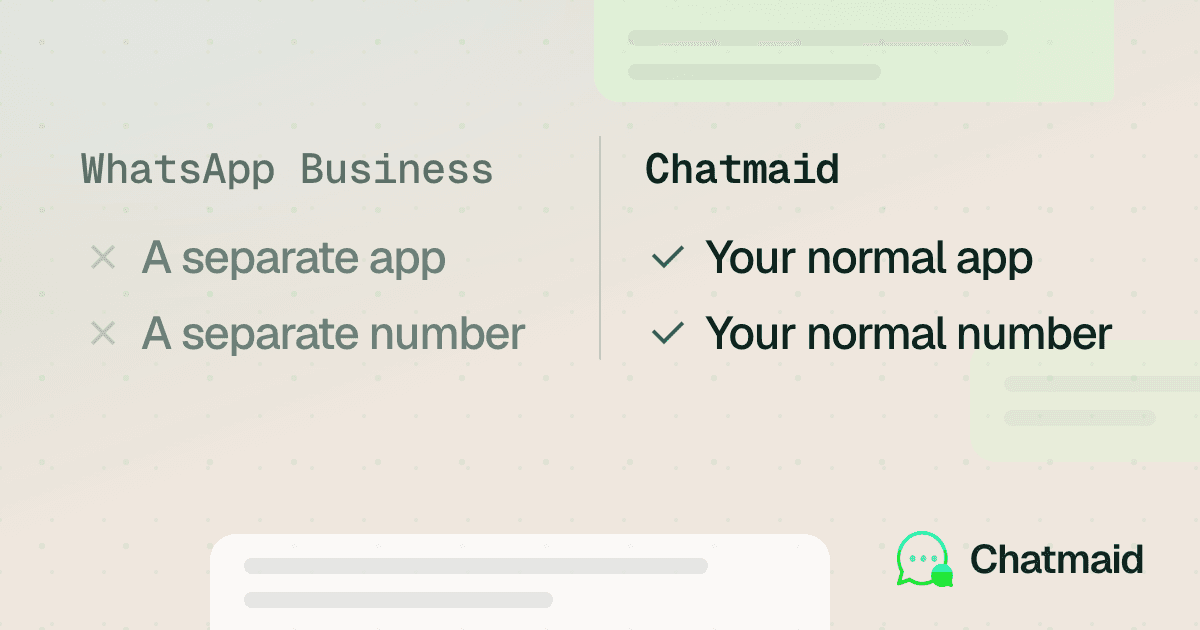
WhatsApp Business is a separate app from Meta. It's free to download on Android and iPhone and built for small business owners. You can't use the same phone number on regular WhatsApp and WhatsApp Business at the same time, though you can move a number between them (About WhatsApp Business).
WhatsApp's features page describes the app's messaging tools as ways to "automate, sort and quickly respond to messages." Most of them react to customers who write to you first. The exception is business broadcasts, covered below. Here is what each tool does, based on WhatsApp's help center.
Away messages
When away messages are on, anyone who writes to you gets an automatic reply saying you're busy or away. You choose when it's active: always, on a custom schedule, or outside the business hours in your profile. You also choose who gets it: everyone, only people not in your address book, everyone except certain contacts, or only selected contacts. WhatsApp notes that your device must have an active internet connection to send away messages (How to use away messages).
Greeting messages
A greeting message goes out automatically when a customer messages you for the first time, or when they write again after 14 days without activity in that chat. It has the same audience options as away messages and the same internet requirement (How to use greeting messages).
Quick replies
Quick replies are saved shortcuts for messages you send often, and they can include images and videos. You can store up to 50. The app also creates default replies from your business profile, so you can send your hours or address by typing "/" in a chat (How to use quick replies). You still pick the chat and send each one yourself.
Labels (now lists)
Labels are colored tags you attach to chats, such as "New order" or "Paid," so you can filter conversations later. You can create up to 20. WhatsApp is gradually replacing labels with lists, so your app may show one or the other (How to use labels).
Catalog
The catalog shows your products or services on your business profile. Each item needs a unique title, at least one image and a country of origin. Prices, descriptions, links and product codes are optional, and prices are only available in certain countries. Customers can share your catalog with friends, and you can share it on WhatsApp or social media (About catalog).
Business profile
Your profile holds your address, email, website and opening hours. The hours matter for automation: the "outside of business hours" option for away messages only appears once you've set them.
Does WhatsApp Business have scheduled messages?
Two features in the app look like scheduling. Only one of them sends a message at a time you pick.
The away message schedule is a time window, not a send time. "Custom schedule" controls when the auto-reply is switched on. The message still only goes to people who write to you during that window. If nobody messages you, nothing is sent. You can't use it to remind a client about a 3 p.m. appointment.
Business broadcasts can be scheduled. In the WhatsApp Business app you can write one message with text, an optional photo (the web version of the app also takes a video or a document) and an optional button (catalog, reply, call or website), choose an audience, and then either send it now or schedule a date and time (How to create and send a business broadcast). On some accounts the same feature is still called marketing messages. The details matter:
- Limited availability. WhatsApp says business broadcasts are available in select countries and might not be on your account yet (About business broadcasts).
- Paid per message. You pay for each broadcast delivered within five days of sending. Meta Verified subscribers get some free messages; after that you add a payment method and funds. You're charged when you send or schedule, and credited for messages that can't be delivered.
- Reviewed by Meta. Each broadcast is reviewed before it goes out.
- Possible delay. Processing is usually a few seconds but can take as long as 3 hours.
- Your phone has to be online. Your device must be connected to the internet at the scheduled time. If it isn't, the app retries after one minute and then every 10 minutes, up to 10 times.
- Opt-in only. WhatsApp requires consent from the customers you message and watches spam reports.
- No repeat schedule. Each broadcast is sent or scheduled once. To send it again, duplicate a past broadcast and schedule the copy by hand.
WhatsApp's help page for the older marketing messages version even suggests appointment reminders and birthday greetings (How to create and send a marketing message). They can work for that, but the per-message cost, the review step, the possible delay and the need for your phone to be online at send time make them a poor fit for "remind this patient at 9:00 tomorrow."
Business broadcasts are also different from the older broadcast lists. Those hold up to 256 contacts each, only reach people who have saved your number, aren't supported on Windows, Mac or Web, and are getting a monthly limit in some countries. The help page doesn't describe a way to schedule them (How to use broadcast lists).
A scheduler is different: you write the message, pick the person and the exact time, and it goes out without anyone writing to you first.
Where WhatsApp's own scheduled messages fit
WhatsApp is testing its own scheduler, but as of October 2026 only some beta testers have it: on Android since October 12 (beta 2.26.40.7) and on iPhone through TestFlight since October 22 (beta 26.42.10.19) (WABetaInfo, Android, WABetaInfo, iPhone, TechRepublic). It isn't in the regular app on either platform, and there's no public release date.
You long-press send to schedule one message to one chat or group, from 10 minutes to 2 weeks ahead, with no repeat option. WABetaInfo's two reports cover regular WhatsApp's betas and don't mention the WhatsApp Business app, so don't expect to find the feature there yet. For the details and limits, see whether WhatsApp's scheduled messages are available yet.
WhatsApp Business vs scheduling tools side by side
| WhatsApp Business app | WhatsApp scheduled messages (beta) | Chatmaid Schedule | |
|---|---|---|---|
| Main job | Profile, catalog, auto-replies, labels | Send one message later | Send messages later, once or on repeat |
| Send a message you wrote at a set time | Only business broadcasts, in select countries | Yes, 10 minutes to 2 weeks ahead | Yes |
| Who it reaches | Broadcasts go to customers you select | One chat or group per message | Contacts, groups and unsaved numbers |
| Repeats daily, weekly or monthly | No; duplicate a past broadcast and reschedule it by hand | No | Yes |
| Attachments | Broadcasts: a photo on the phone app; an image, video or document on the web | One photo or video | Photos, videos, documents and voice notes |
| Phone off at send time | Auto-replies and broadcasts need your phone online | Still sends | Still sends, from Chatmaid's cloud |
| Android | Yes | Some beta testers, since Oct 12 | Yes |
| iPhone | Yes | Some TestFlight beta testers, since Oct 22 | Yes |
| Cost | Free app; broadcasts are paid per delivered message | Free, beta testers only | 7-day free trial, then $2.79 a month |
The short version: WhatsApp Business handles conversations people start with you. A scheduler handles conversations you start on a timetable.
Can you use Chatmaid with a WhatsApp Business account?
Test it before you rely on it. Chatmaid Schedule links to your WhatsApp as a linked device, the way WhatsApp Web does, and sends from your own number. It isn't the WhatsApp Business API, and nothing is spoofed.
If your business number is on the WhatsApp Business app, the free trial is the low-risk way to check: 7 days, every feature, no credit card. Link the number, schedule a test message to a colleague's phone, and confirm it arrives before you rely on it for customers. If it doesn't link or the test doesn't arrive, contact us.
If you're weighing the API instead, our comparison of the WhatsApp API and the WhatsApp Business app covers that choice.
Which one do you need?
Match the tool to the job:
- Customers message you at 11 p.m. and you want them to get an answer: an away message with your business hours.
- You want every new customer welcomed: a greeting message.
- You type the same five answers all day: quick replies.
- You need to see which chats are new orders and which are paid: labels or lists.
- You want people to browse what you sell inside WhatsApp: the catalog.
- You're sending a promotion to many opted-in customers in a supported country: business broadcasts.
- You need a specific message to reach a specific person at a specific time: a scheduler.
- The message repeats, like a monthly rent reminder or a weekly team update: a scheduler with recurring sends, such as Chatmaid Schedule. The native beta doesn't repeat. Our guide to recurring WhatsApp messages walks through daily, weekly and monthly setups.
- It has to go out even if your phone is off at that moment: a scheduler that sends from the cloud, or WhatsApp's own beta if you have it. Business broadcasts and auto-replies need your phone online. See how to send WhatsApp messages when your phone is off.
- You use an iPhone and need it working today: WhatsApp's scheduler reaches only some TestFlight beta testers, so for most iPhone users a third-party scheduler is the practical option. Our scheduling apps buyer's guide compares the main ones.
- You send personalized campaigns to contact lists from a computer: Chatmaid Web is the browser dashboard for that, with contact lists, campaigns spaced out over time, personalized messages and scheduling.
How to schedule a WhatsApp message with Chatmaid Schedule
- Install Chatmaid Schedule from the App Store or Google Play, or create an account in your browser.
- Link your WhatsApp number. It connects as a linked device, like WhatsApp Web.
- Choose recipients: phone contacts, WhatsApp groups, or numbers you haven't saved, from the "Unsaved" tab.
- Write the message. You can use bold, italic and strikethrough, and attach photos, videos, documents or a voice note you record in the app.
- Pick the date and time, choose a one-time send or a daily, weekly or monthly repeat, and confirm.
- Check Message History. Scheduled messages can be opened and edited there, and you'll see which ones were completed or failed.
Messages go out from Chatmaid's cloud at the scheduled time, even if your phone is off, out of battery or offline. See pricing for plans after the trial.
Frequently asked questions
Does WhatsApp Business have scheduled messages?
Only through business broadcasts (marketing messages on some accounts). They're available in select countries, reviewed by Meta, paid per delivered message, and need your phone online at the scheduled time. Away and greeting messages are automatic replies, not scheduled messages.
Is an away message the same as a scheduled message?
No. An away message only goes to people who write to you while it's switched on. Its "custom schedule" decides when the auto-reply is active, not when a message is sent to someone.
Do away messages and scheduled broadcasts send when my phone is off?
No. WhatsApp says your device needs an active internet connection to send away and greeting messages, and must be connected when a scheduled broadcast is due (the app retries up to 10 times). Chatmaid Schedule sends from the cloud, so scheduled messages go out even if your phone is off.
Can I schedule WhatsApp messages on an iPhone?
Yes, with a scheduling app. WhatsApp's own scheduler has been rolling out to some iPhone beta testers on TestFlight since October 22, 2026, but it isn't in the App Store version and has no release date. Chatmaid Schedule runs on iPhone and Android and sends from the cloud.
Should I switch to WhatsApp Business to schedule messages?
Only if you want paid promotional broadcasts and they're available in your country. WhatsApp's help pages describe scheduling only for business broadcasts, not for an ordinary one-to-one chat, so switching won't give you a simple send-later option for appointment or payment reminders. You can't use the same number on both apps at once, though you can move it between them.
Will scheduling messages get my number banned?
Very unlikely with normal use. Restrictions happen when an account behaves like spam, such as sending unsolicited bulk messages to people who don't have you saved. Only message people who expect to hear from you.